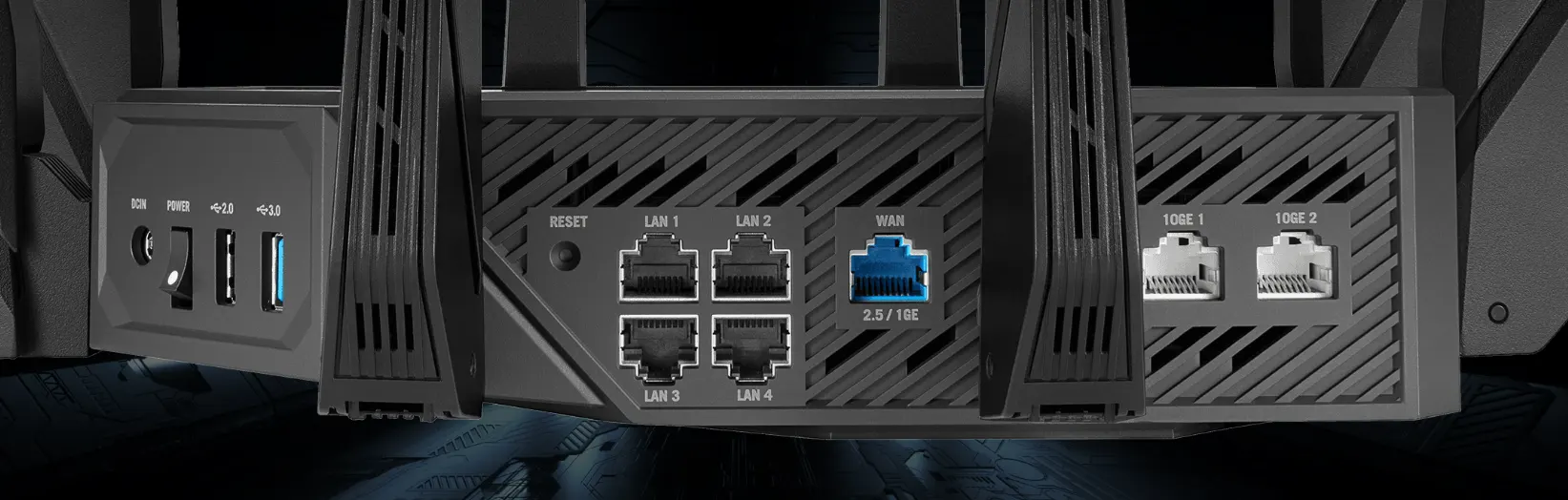
Modern high-end routers are equipped with several types of network ports, and each port can serve different purposes. Among them is the 10GE port, designed for high-speed Ethernet connections.
The term “10GE” stands for “10-Gigabit Ethernet.” A 10GE port provides a network connection with a maximum channel speed of 10 Gbps, which is ten times faster than a standard Gigabit Ethernet port.
The exact purpose of the port depends on how the router manufacturer has configured it. A 10GE port can be used as a WAN port for connecting to the Internet—that is, as an external connection—as a LAN port for connecting local network devices, or as a combined WAN/LAN port.
What Is a 10GE Port on a Router?
A 10GE port is a high-speed Ethernet port that supports data rates of up to 10 Gbps.
The main types of router ports are usually:
| Port | Purpose |
|---|---|
| WAN | Connects the router to the internet, modem, or ONT |
| LAN | Connects computers and other devices to the local network |
| 10GE WAN | High-speed internet connection |
| 10GE LAN | High-speed connection to local network devices |
| 10GE WAN/LAN | Can be configured for either WAN or LAN |
The presence of a 10GE port does not necessarily mean that the router provides an Internet connection at a speed of 10 Gbps. Internet speed depends on the speed provided by the ISP, but the port is configured and capable of supporting speeds of 10 gigabits.
What Is the difference between a 10GE WAN port and a 10GE LAN port?
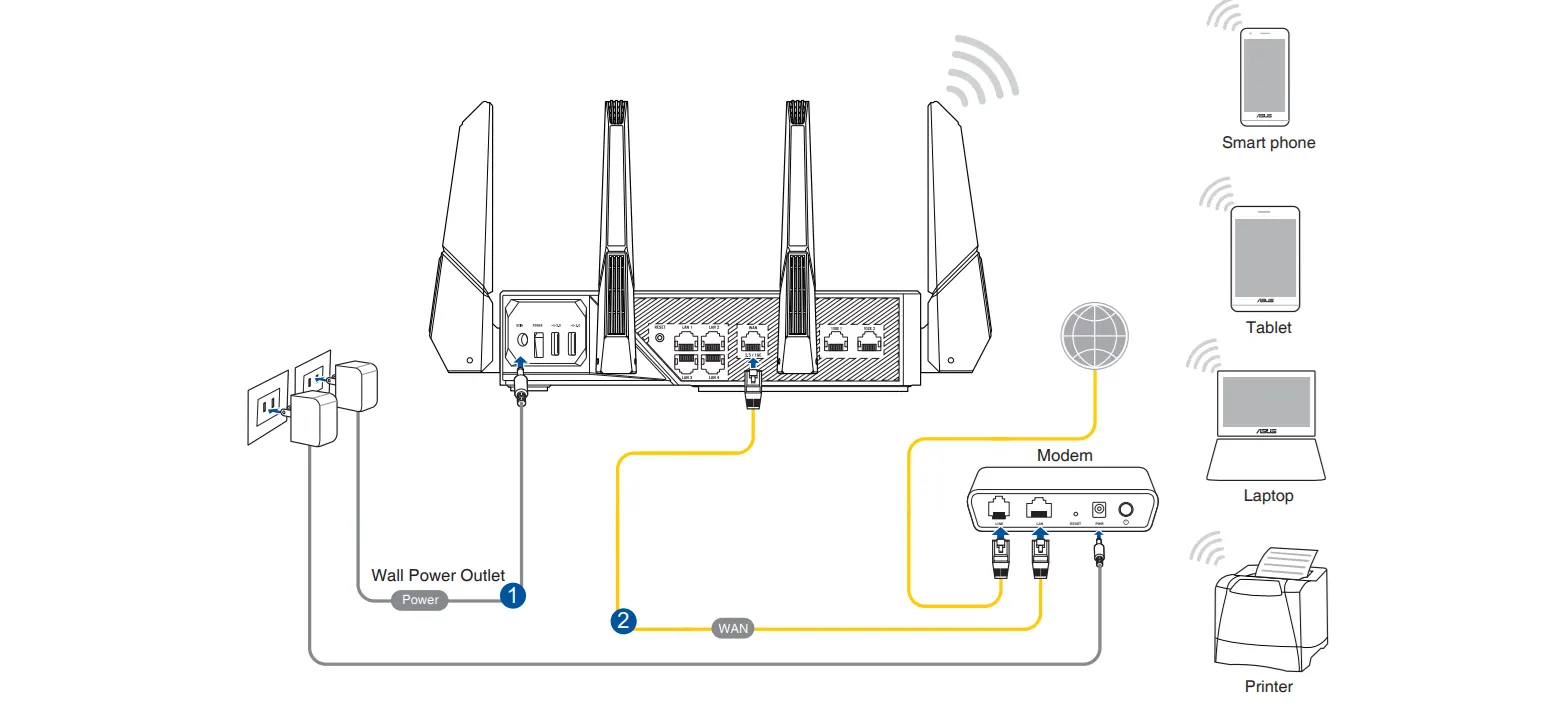
A 10GE WAN port is used to connect a router to an external network. For example, it can be used to connect a fiber-optic ONT or modem if your Internet service provider offers a 10-gigabit connection.
A 10GE LAN port is used to connect devices within a local network. It can be used to connect a computer, network-attached storage (NAS) device, server, or 10GbE network switch.
For example, a network can be configured as follows:
Internet → ONT → 10GE WAN → Router → LAN Ports → Computer/NAS
Some routers have a 10GE port that can function as either WAN or LAN. In this case, the same physical port can be assigned to a WAN or LAN connection, depending on the router’s settings.
Why do routers have 10GE ports?
The main reason is the growing use of multi-gigabit networks. In most cases, these ports are used in corporate networks. However, Internet speeds are constantly increasing as the amount of traffic grows.
In the early days, the Internet was mainly used for browsing web pages. Later, people began watching online movies, and streaming services became widespread in the mid-2010s. Today, surveillance cameras are also widely used, and all these devices generate increasing amounts of network traffic.
That is why router manufacturers are adding resources that may be needed in the future.
A 10GE port can be useful if you have a high-speed fiber-optic Internet connection, a network-attached storage (NAS) device with a 10GbE interface, multiple computers transferring large files, or a 10GbE network switch.
However, for a typical home network with a 1 Gbps Internet connection and Gigabit Ethernet devices, a 10GE port is generally not necessary.
What type of connector is used in a 10GE port?
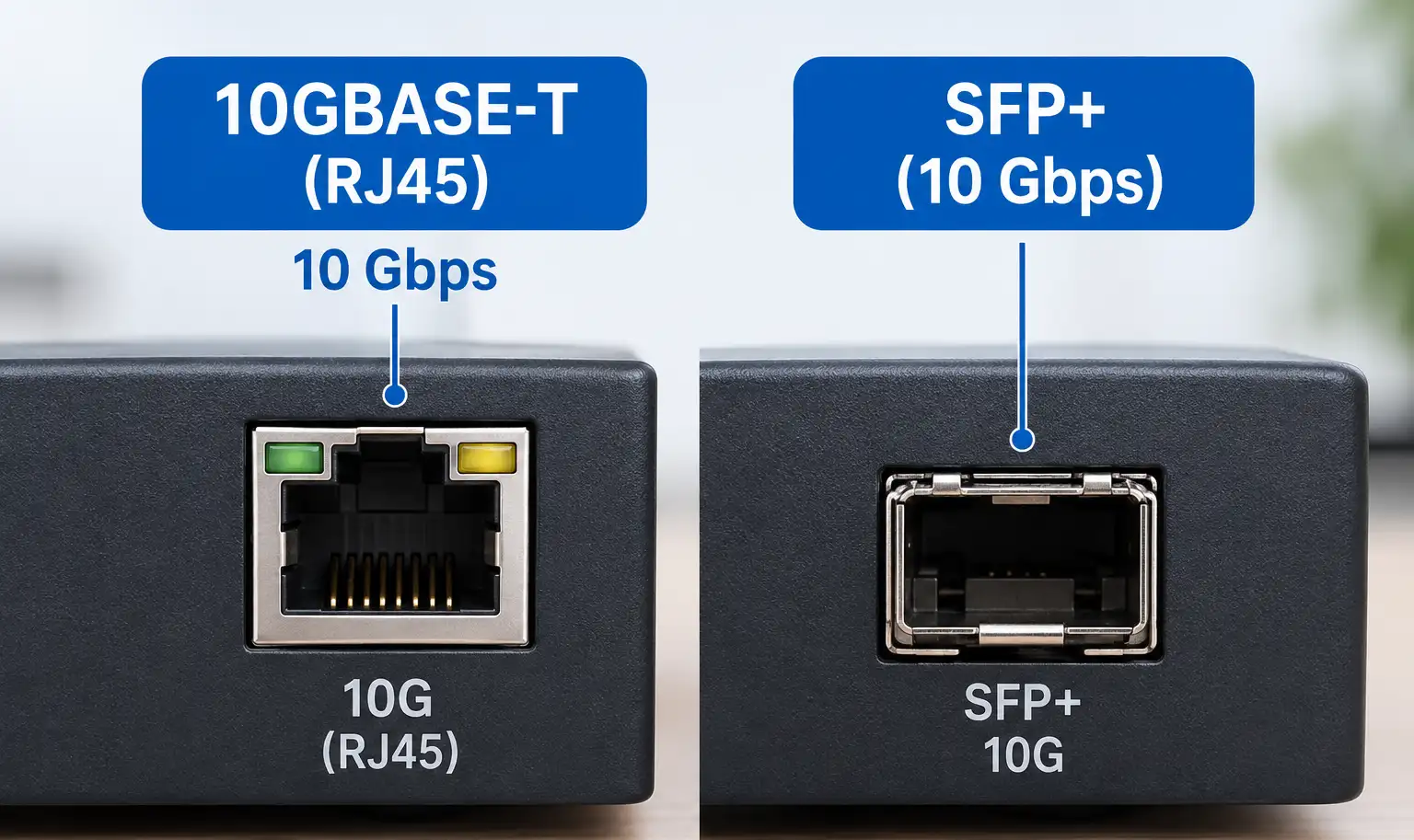
Not all 10GE ports use the same type of physical connector. A router may provide 10 Gbps data transfer through an RJ45 Ethernet port, typically using the 10GBASE-T standard. Other routers may use an SFP+ port for 10 Gbps connections.
When checking a router’s technical specifications, it is therefore important to look not only at whether the router has a 10GE port, but also at which type of port it uses.
A 10GE port with an RJ45 connector is designed for use with a standard Ethernet cable. An SFP+ port, on the other hand, can be used with compatible optical modules or direct-attach cables.
Do you need a 10GE port?
Whether you need a 10GE port depends on the capabilities of the rest of your network.
A 10GE port can be useful if your Internet service provider offers a connection faster than 1 Gbps and supports this type of connection. If your Internet connection is limited to 1 Gbps and your network devices use Gigabit Ethernet, replacing your router simply because it has a 10GE port will not make your existing connections faster.
It is important to consider the entire network path. The router, Internet connection, computer or NAS, network switch, and cabling must all support the required speed for a 10GbE connection to provide a benefit.