
Modern TVs come packed with a wide range of technologies, which can make choosing the right model confusing. It’s often difficult to understand what each feature actually does and whether it genuinely improves the viewing experience or is simply a marketing term. This overview highlights the key technologies used in Samsung TVs, helping you better understand their purpose and make a more informed decision when buying.
Technologies in Samsung TV, brief description
Image Technologies
Technologies that influence image quality in various ways. They may operate at the software level or be integrated into the hardware during manufacturing—for example, as part of the display design.
Active Crystal Color — a technology that expands the color palette, allowing more shades to be displayed for richer and more natural-looking images.
Auto Motion Plus — a motion smoothing system that creates intermediate frames between original ones, making fast-moving scenes (sports, movies, games) appear smoother.
Auto Depth Enhancer — automatically adjusts contrast across different areas of the image to create a sense of depth and three-dimensionality.
Contrast Enhancer — image-processing algorithms that improve the difference between bright and dark areas, making the picture more vivid.
Dynamic Crystal Color — enhances the color range to deliver more vibrant and accurate color reproduction.
HDR (High Dynamic Range) — improves brightness, contrast, and detail using metadata embedded in video content, making highlights brighter and shadows deeper.
Micro Dimming — divides the screen into zones and adjusts backlighting in each zone independently to achieve deeper blacks.
Peak Illuminator — boosts brightness in the brightest parts of the image while maintaining overall balance between light and dark areas.
Precision Black — controls local dimming of the backlight to produce deeper and richer black levels.
PurColor — enhances color purity and smooths transitions between shades for a more natural-looking image.
Ultra Black — a special anti-reflective screen coating that reduces glare and improves visibility in bright rooms.
Wide Color Enhancer — improves color reproduction on 8-bit panels, making colors appear more vivid and diverse.
Supreme UHD Dimming — local dimming technology, the TV display supports turning off the backlight in certain areas..
Picture-in-Picture (PiP) — allows two video sources to be displayed simultaneously, with one shown in a smaller window.
High Frame Rate (HFR) — supports high frame rate content (e.g., 60 or 120 FPS) for smoother motion.
AI Image Quality Optimization — uses artificial intelligence to analyze and enhance sharpness, contrast, and overall image detail.
AI Motion Enhancer — AI-based motion processing that reduces blur and improves smoothness in fast-moving scenes.
AI Auto Game Mode — automatically switches to game mode when a console is detected, reducing input lag.
Adaptive Picture — dynamically adjusts brightness and other picture settings based on ambient lighting conditions.
AI Saver Mode — optimizes power consumption while maintaining acceptable image quality.
Real Depth Enhancer — enhances perceived depth by increasing contrast in foreground objects.
Mini Map Zoom — a gaming feature that enlarges and displays a mini-map in a separate area of the screen.
Motion Xcelerator — a motion enhancement technology where the advertised motion index is typically about twice the actual panel refresh rate.
OLED HDR — optimizes HDR content specifically for OLED displays, taking advantage of their high contrast capabilities.
Pantone Validated — ensures accurate color reproduction according to Pantone standards.
Pantone SkinTone Validated — certifies accurate rendering of human skin tones based on Pantone standards.
Ultra Viewing Angle — a marketing term indicating improved viewing angles; actual effectiveness depends on the panel design.
Audio Technologies
Dolby Digital Plus — an advanced audio codec that supports multi-channel sound (5.1 and 7.1). It delivers higher quality audio than standard Dolby Digital and is widely used in streaming services.
DTS Codec — an alternative surround sound format developed by DTS. It provides high-quality multi-channel audio and is commonly used on Blu-ray discs and some media platforms.
Bluetooth Audio — allows you to connect wireless audio devices such as headphones or speakers directly to the TV without cables.
Multiroom Link — enables the TV to connect with compatible wireless speakers in different rooms, allowing synchronized audio playback throughout your home.
Audio Return Channel (ARC) — an HDMI feature that lets the TV send audio back to a soundbar or AV receiver through the same cable, simplifying connections.
Enhanced Audio Return Channel (eARC) — an upgraded version of ARC available on HDMI 2.1. It supports higher bandwidth and allows transmission of high-quality audio formats, including uncompressed surround sound.
Dolby Atmos — an advanced surround sound technology that creates a three-dimensional audio experience by adding height channels. Sounds can move around and above the listener, making audio more immersive and realistic.
Object Tracking Sound (OTS) — Object Tracking Sound (OTS) is a technology that adjusts the positioning of sound based on the movement of objects on the screen, enhancing the immersive experience by synchronizing the audio with the on-screen action. It works exclusively with Samsung soundbars, as it requires the soundbar’s speakers to work in tandem with the TV’s speakers.
HDMI and Connectivity
HDMI Quick Switch (InstaPort) — reduces the delay when switching between HDMI inputs, allowing near-instant transitions between connected devices.
Mobile to TV, Mirroring — lets you display the screen of your smartphone or tablet directly on the TV for viewing photos, videos, or apps.
TV to Mobile, Mirroring — enables streaming of the TV’s content to a mobile device, so you can watch TV on your phone or tablet.
ConnectShare™ — allows you to connect a USB device (flash drive or external hard drive) to the TV and play media files such as videos, music, and photos.
UHD Upscaling — enhances lower-resolution content by scaling it up to near-4K (UHD) quality, improving sharpness and clarity.
High-bandwidth Digital Content Protection (HDCP) 2.3 — a copy protection standard that ensures compatibility with protected 4K and streaming content from external devices.
Auto Low Latency Mode (ALLM) — automatically switches the TV to a low-latency (game) mode when a gaming console is detected, reducing input lag.
Variable Refresh Rate (VRR) — dynamically adjusts the TV’s refresh rate to match the frame rate of a gaming console, reducing screen tearing and stuttering.
One Connect Box port — a design solution where the main hardware and ports are placed in an external box, connected to the TV with a single cable for a cleaner setup and easier cable management.
Voice and Smart Features
Alexa — integration with Amazon’s voice assistant, allowing you to control the TV, search content, and manage smart home devices using voice commands.
Bixby — Samsung’s built-in voice assistant that lets you control TV functions, adjust settings, and search for content using voice.
Google Assistant — integration with Google’s voice assistant for controlling the TV, asking questions, and managing compatible smart home devices.
Far-Field Voice Interaction — enables voice control from a distance using microphones built into the TV, so you don’t need the remote.
Voice Interaction (Voice Command) — allows voice control through the microphone встроенный в пульт дистанционного управления, making it easy to search and control the TV.
SmartThings — Samsung’s smart home platform that allows you to control and monitor compatible devices (lights, appliances, sensors) directly from your TV.
Samsung TV Plus — a free streaming service offering live TV channels and on-demand content without subscriptions.
Samsung Gaming Hub — a platform that lets you discover, stream, and play games directly on the TV without needing a console (depending on region and services).
Samsung Health — a fitness and wellness app that helps track workouts, activity, and health data on your TV.
Samsung Daily+ — a personalized content service that provides news, entertainment, and useful information in one place.
Samsung Knox — a built-in security platform that protects your TV, personal data, and connected devices from unauthorized access and threats.
Additional Features
Accessibility (TalkBack / Improved Visibility / Assisted Hearing / Remote Control Adjustment) — a set of features designed to make the TV easier to use for people with visual, hearing, or physical impairments.
Ambient Mode+ — turns the TV into a decorative display when not actively in use, showing artwork, photos, or information like time and weather.
Brightness and Hue Sensor — automatically adjusts screen brightness and color tone based on ambient lighting conditions in the room.
EyeComfort Mode — optimizes brightness and color temperature to reduce eye strain, especially during extended viewing.
Filmmaker Mode — disables most image processing effects to present content as intended by filmmakers, preserving original colors, contrast, and motion.
Game Motion Plus — improves motion clarity in games by reducing blur, though it may slightly increase input lag.
HDR Brightness Optimization — dynamically adjusts brightness levels to improve visibility and detail in HDR content.
HDR Gaming Interest Group (HGiG) — a standard that ensures accurate HDR tone mapping in games, allowing developers’ intended visuals to be displayed correctly.
Hue Sync (lighting sold separately) — synchronizes TV visuals with compatible external lighting systems to create a more immersive viewing atmosphere.
Camera — a built-in camera (available on some models) used for video calls, motion control, or fitness applications.
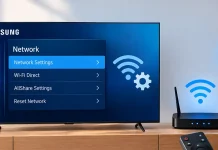
Network — support for wired and wireless networking (such as Wi-Fi or Ethernet) to connect the TV with other devices and online services.
Connectivity — refers to the available ports and interfaces (HDMI, USB, etc.) for connecting external devices.
MagicScreen+ Matter — uses AI to adapt display settings based on the type of content being viewed, optimizing picture quality automatically.
Tap View — allows you to mirror your smartphone screen to the TV by simply tapping the phone against the remote control with built-in NFC.
Super Ultrawide GameView & Game Bar — provides tools and settings for gaming, including support for ultrawide aspect ratios and quick access to performance and display options.