

Tag: Technology monitor
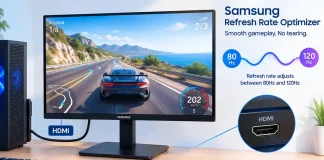
Samsung Refresh Rate Optimizer on Monitors, What Is It?
Refresh Rate Optimizer is a feature found on some Samsung gaming monitors. Its job is to help the monitor work more smoothly when the...
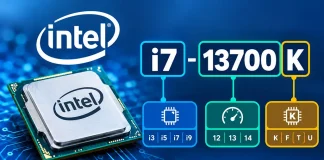
Intel processor model numbers explained how to decode Intel CPUs
Intel processor model numbers identify the processor family, series, generation, and the specific model. Depending on the processor generation and series, the structure of...

How to check display quality on a laptop, monitor, or TV
When buying a new laptop, monitor, or TV, you naturally want the device to perform well and be easy to use. One of the...

Wi-Fi standards and generations explained
Wi-Fi has changed significantly since the first IEEE 802.11 standard was published in 1997. Each new generation has brought higher data rates, better network...
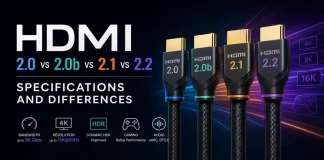
HDMI 2.0 vs 2.0b vs 2.1 vs 2.2, specifications and differences
The HDMI standard has several versions, which were developed as televisions, monitors, and other video devices transitioned to higher resolutions and refresh rates. The...

What is a UHD Display?
UHD stands for Ultra High Definition. The term describes displays with a higher resolution than Full HD and is now commonly associated with modern...

Samsung Eye Saver mode on monitors and TVs
“Eye Saver” mode is a built-in monitor feature designed to provide a more comfortable viewing experience by reducing eye strain. Samsung uses this brand...

Description of Ports on the Apple MacBook Laptop
Over the years, Apple MacBook laptops have featured a wide variety of ports. As technology has evolved, Apple has gradually replaced outdated ports with...

Typical brightness, peak brightness, minimum screen brightness, explanation
The technical specifications for televisions and monitors often include several brightness-related values. Manufacturers typically highlight peak brightness and typical brightness, but these figures can...
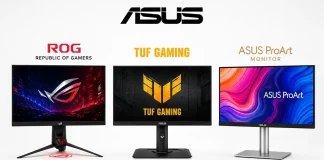
Asus Monitors, series, and their differences
ASUS is one of the world's leading monitor brands. ASUS monitors are manufactured using the ODM (Original Design Manufacturer) model. This means that while...
