

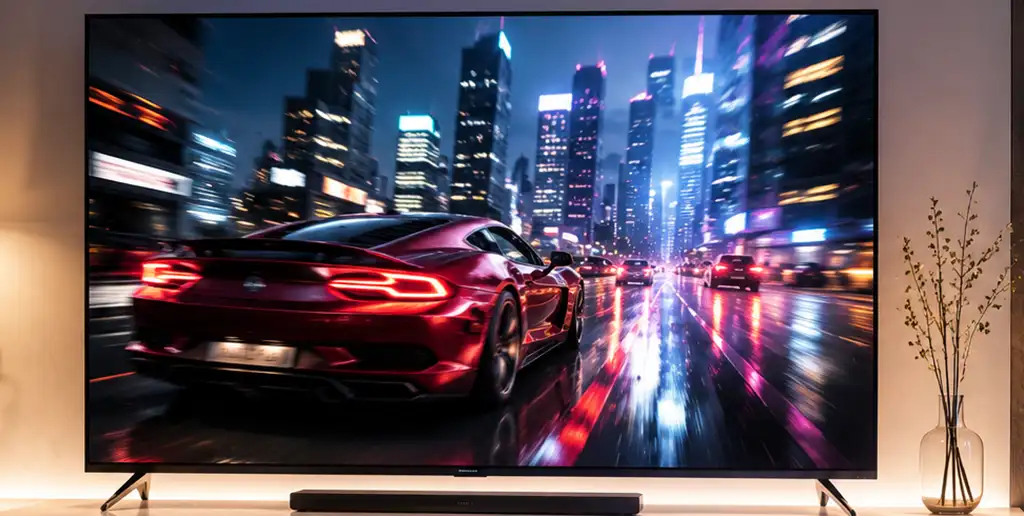
The LG UH8500 is the North American version of the TV, while in Europe the same model was sold under the name LG UH850V. Although both versions use the same hardware and display type, they differ in the type of digital tuners.
The settings below are designed to provide a natural picture when watching movies, TV shows, and for everyday use. The default configuration disables most image processing features that can result in artificial sharpness, excessive smoothing, or inaccurate color reproduction. An alternative configuration is also available for users who prefer a brighter and more vibrant picture with additional image enhancement features enabled.
You can use these settings as a starting point and further adjust them based on viewing conditions, personal preferences, and the quality of the content being displayed.
Basic Settings
| Setting | Value |
|---|---|
| Picture Mode | Standard |
| Aspect Ratio | 16:9 |
| Energy Saving | Off |
| Backlight | 82 |
| Contrast | 97 |
| Brightness | 50 |
| H Sharpness | 0 |
| V Sharpness | 0 |
| Color | 51 |
| Tint | 0 |
Picture Options
| Setting | Value |
|---|---|
| Noise Reduction | Off |
| MPEG Noise Reduction | Off |
| Black Level | Low |
| LED Local Dimming | Off |
| TruMotion | Off |
Expert Controls
| Setting | Value |
|---|---|
| Dynamic Contrast | Off |
| Super Resolution | Off |
| Color Gamut | Normal |
| Edge Enhancer | Off |
| Color Filter | Off |
| Gamma | 2.2 |
White Balance
| Setting | Value |
|---|---|
| Color Temperature | Warm2 |
| Method | 2 Point |
| Pattern | Outer |
| Point | Low |
| Red | 9 |
| Green | 9 |
| Blue | 1 |
Alternative Settings
| Setting | Value |
|---|---|
| Picture Mode | Standard |
| Backlight | 82 |
| Contrast | 98 |
| Brightness | 49 |
| Sharpness | 25 |
| Color | 51 |
| Tint | 0 |
| Color Temperature | 0 |
Advanced Controls
| Setting | Value |
|---|---|
| Dynamic Contrast | High |
| Dynamic Color | Medium |
| Preferred Color – Skin Color | 2 |
| Preferred Color – Grass Color | 3 |
| Preferred Color – Sky Color | 3 |
| Color Gamut | Normal |
| Super Resolution | High |
| Gamma | High1 |
Picture Options
| Setting | Value |
|---|---|
| Noise Reduction | Auto |
| MPEG Noise Reduction | Auto |
| Black Level | High |
| Real Cinema | On |
| LED Local Dimming | Medium |
| TruMotion | User |
| De-Judder | 3 |
| De-Blur | 5 |
Picture Settings Explained
Picture Mode selects a predefined set of picture parameters. The Standard mode provides a balanced combination of brightness, contrast, and color accuracy suitable for everyday viewing.
Aspect Ratio determines the screen format. The recommended 16:9 setting matches the native aspect ratio of most modern TV broadcasts, movies, and streaming content.
Energy Saving automatically reduces screen brightness to lower power consumption. Since it changes the picture brightness dynamically, it is usually disabled for the most consistent image quality.
Backlight adjusts the brightness of the LED backlight. It controls the overall screen brightness without directly affecting black levels or color accuracy.
Contrast controls the brightness of the brightest parts of the picture. Setting it too high may cause loss of detail in bright areas such as clouds or snow.
Brightness adjusts the black level. A correct setting preserves shadow detail while keeping black areas truly black.
Sharpness enhances object edges. Excessive sharpness can introduce artificial outlines and image artifacts, so lower values are generally recommended for high-quality content.
Color controls the saturation of the image. Increasing the value makes colors more vivid, while decreasing it results in a less saturated picture.
Tint adjusts the balance between green and magenta. This setting is normally left at its default value.
Noise Reduction reduces random image noise and grain. It can improve low-quality broadcasts but may also soften fine details in high-quality video.
MPEG Noise Reduction reduces compression artifacts commonly found in low-bitrate digital video. It is usually unnecessary when watching Blu-ray discs or high-quality streaming content.
Black Level adjusts how dark areas are displayed according to the incoming video signal. It should match the output range of the connected source device.
LED Local Dimming controls the brightness of individual backlight zones to improve contrast. Moderate settings can produce deeper blacks, while higher levels may introduce blooming around bright objects.
TruMotion increases motion smoothness by generating intermediate frames. This can improve sports and fast-action content but may create the “soap opera effect” when watching movies.
Dynamic Contrast automatically adjusts contrast based on the content of each scene. It can make the image appear more vivid but may reduce detail in very bright or very dark areas.
Dynamic Color increases color saturation to produce a more vibrant picture, although it may reduce color accuracy.
Preferred Color allows independent adjustment of skin tones, grass, and sky colors without affecting the rest of the image.
Color Gamut determines the range of colors the TV reproduces. The Normal setting delivers the most natural color reproduction without artificially expanding the color space.
Super Resolution enhances image sharpness through digital processing. It is most useful for lower-resolution content and generally unnecessary for Full HD or 4K material.
Edge Enhancer artificially increases edge contrast to make objects appear sharper. High settings may create visible halos around fine details.
Gamma controls the distribution of brightness between dark and bright areas of the image. A gamma value of 2.2 is considered the standard for most home viewing environments.
Color Temperature adjusts the overall white balance of the picture. The Warm2 setting is closest to the industry standard of approximately 6500 K used for mastering movies and TV content.
White Balance allows precise adjustment of the red, green, and blue channels to achieve neutral whites and accurate color reproduction.
Real Cinema displays films at their original 24-frame-per-second cadence, reducing judder caused by frame rate conversion.
De-Judder adjusts the amount of motion interpolation used to smooth camera pans and moving objects. Higher values produce smoother motion but increase the artificial look of the image.
De-Blur reduces motion blur in fast-moving scenes, improving clarity during sports broadcasts and action sequences.

[…] https://www.youtube.com/watch?v=hx20INM6Odg https://www.cnet.com/forums/discussi…and-hdr-notes/ » TV settings LG 75UH8500, 65UH8500, 60UH8500, 55UH8500, UH850V-Europe […]
Thanks for these.