
Televisions can deliver great picture quality when the right settings are applied, and the Samsung J6300, released in 2015, has a very capable display.
The first thing to focus on is the picture mode. While the preset modes work, they use general settings that can be improved by making individual adjustments.
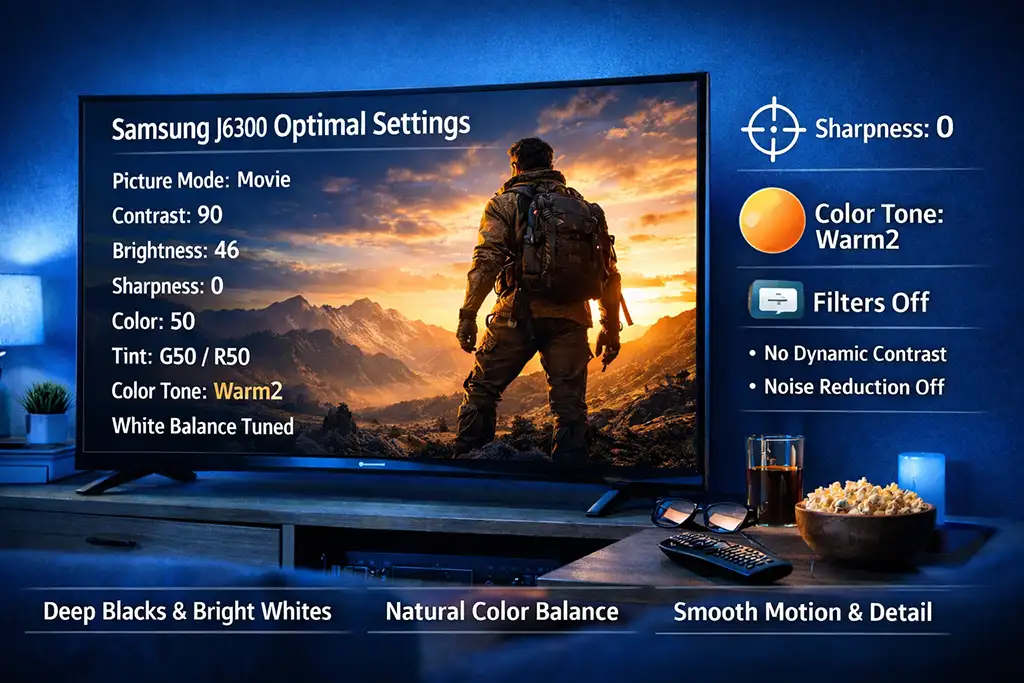
Set the contrast to 90 to achieve deep blacks and bright whites. Brightness at 46 preserves detail in shadows without making the picture look washed out.
Set sharpness to 0, since excessive sharpness adds unnecessary artifacts and makes the picture look unnatural.
Keep color saturation at 50, and leave the green and red balance (Tint G50/R50) neutral to maintain natural tones without shifting too warm or too cool.
Another important adjustment is Color Tone: Warm2. It slightly shifts whites toward warm shades, making the image more comfortable to the eyes, especially when watching movies in the evening.
Features like dynamic contrast and noise filters may seem helpful, but in practice, they can actually degrade the image. On the J6300, all of these are turned off: Dynamic Contrast Off, Digital Noise Filter Off, MPEG Noise Filter Off, LED Clear Motion Off. This allows the TV to display the image without unnecessary processing, keeping it natural.
White balance is also important, and on the J6300 it is very precise. Slight increases in the green and blue channels (G-Offset 7, B-Offset 6) help preserve natural skin tones and details in nature, while the red channel (R-Offset 1, R-Gain 3) warms bright scenes without oversaturating them.
Samsung J6300 settings table
SETTINGS | |
| Picture Mode | Movie |
| Backlight | 6 |
| Contrast | 90 |
| Brightness | 46 |
| Sharpness | 00 |
| Color | 50 |
| Tint | G50/R50 |
| Dynamic Contrast | Off |
| Black Tone | Off |
| Flesh Tone | 0 |
| RGB Only Mode | Off |
| Color Space | Auto |
| Gamma | 0 |
| Color Tone | Warm2 |
| Size | Screen Fit |
| HDMI Black Level | Low |
| Film Mode | Off |
| Digital Noise Filter | Off |
| LED Clear Motion | Off |
| MPEG Noise Filter | Off |
| WHITE BALANCE | |
| Setting | Value |
| R-Offset | 1 |
| G-Offset | 7 |
| B-Offset | 6 |
| R-Gain | 3 |
| G-Gain | 0 |
| B-Gain | 6 |