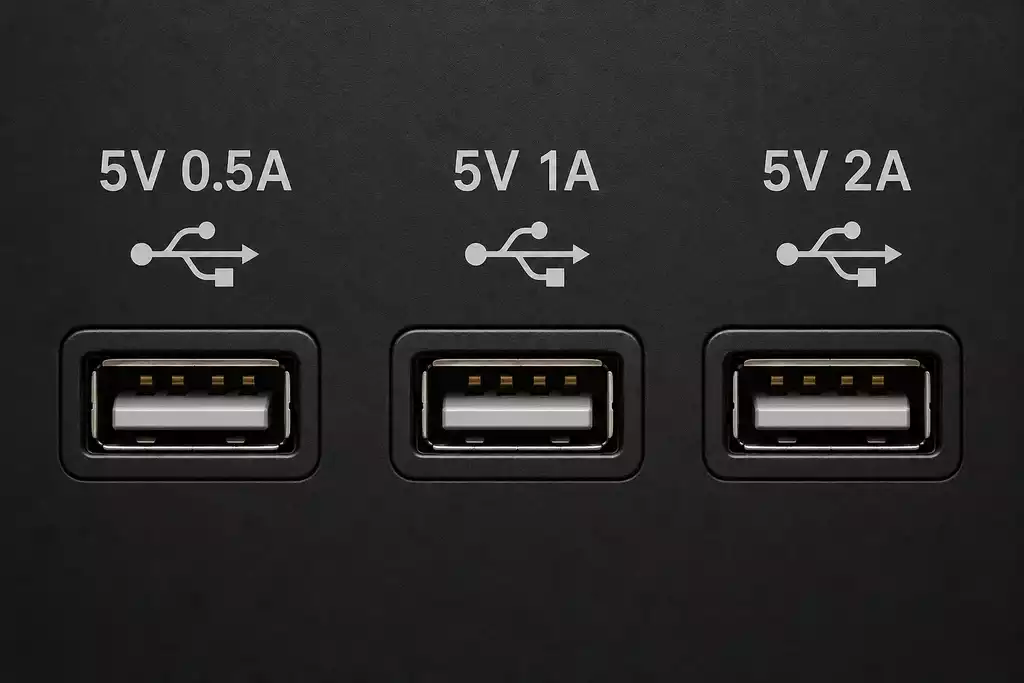
USB ports can have markings such as 5V 0.5A, 5V 1A, or 5V 2A. These numbers indicate the voltage and maximum current available from the port. They also allow you to calculate the maximum power the port can provide.
What do 5V and A mean?
5V is the voltage supplied by the USB port. The value in amps (A) indicates the maximum current the port can provide.
The maximum power is calculated as:
Power = Voltage × Current
| USB marking | Maximum current | Maximum power | Typical use |
|---|---|---|---|
| 5V 0.5A | 0.5A | 2.5W | USB flash drives, keyboards, mice and other low-power devices |
| 5V 1A | 1A | 5W | Some external hard drives, USB hubs and other higher-power USB devices |
| 5V 2A | 2A | 10W | Streaming devices, some external drives and smartphone charging |
These are typical examples; the actual power requirement depends on the specific device and can vary quite significantly.
A 0.5 A port is usually sufficient for simple USB accessories, such as flash drives, keyboards, and mice; it can also be used to charge low-power devices, such as remote controls (like those from Samsung) and Bluetooth headphones. A 1 A port provides more power and may be suitable for devices such as some external hard drives. A 2 A port delivers up to 10 W and can be useful for devices with higher power requirements, including some streaming devices and for charging smartphones.
The current rating listed in the port’s designation is the maximum current available at that port. You can also connect low-power devices to ports with higher current ratings; the device will draw only as much current as it needs.
Why did the rated current of USB ports increase from 0.5 A to 3 A?
Originally, USB was designed primarily as a data transfer interface and provided relatively low power. In the USB 2.0 standard, a standard high-power USB port could deliver up to 500 mA (0.5 A). This current was sufficient to power peripheral devices such as computer mice, keyboards, and flash drives.
As USB became widely used to power external hard drives, multimedia devices, smartphones, and other equipment, ports with higher current ratings became increasingly common. These ports could already be used to connect and charge a phone.
Devices designed to connect high-power devices also began to feature 2A ports; for example, such ports can be found in some TV models, while 3A ports are typically installed in charging stations for fast charging of devices.
USB 2.0 is a USB interface specification—specifically, a version of the port defined by its data transfer rate. The figure 0.5 A describes the power available through a standard USB 2.0 port.
USB Type-C ports are more standardized and can handle different currents and voltages; for example, these ports support up to 100W of power depending on the model and are widely used in laptops.
You can charge smartphones via USB ports, but keep in mind that modern devices generally require fairly high currents and typically charge at 2 A or higher. Although they will also charge from lower-power ports, it will take longer.