
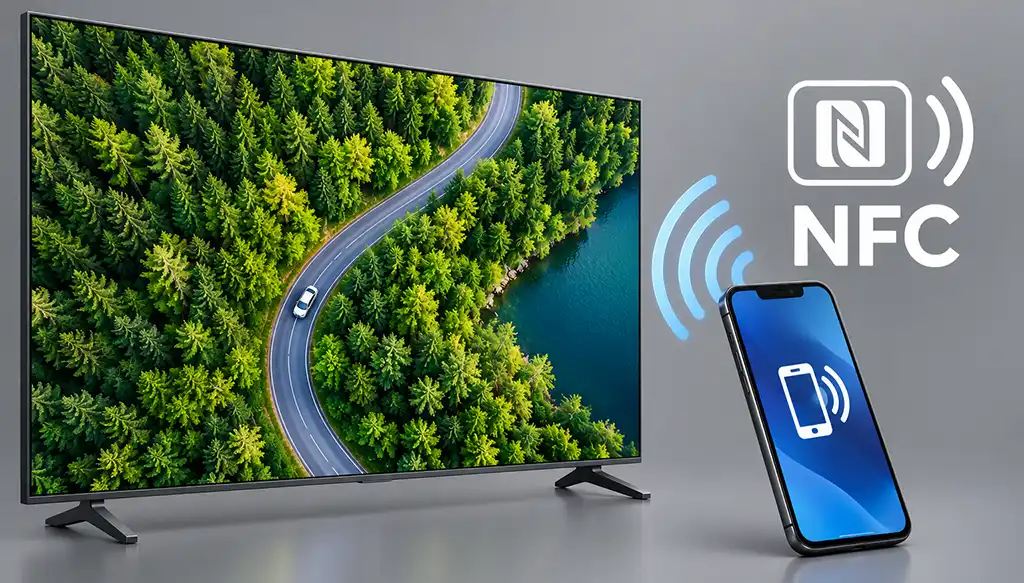
NFC (Near Field Communication) is a contactless technology. Two devices exchange small amounts of data when they are brought very close to each other. Manufacturers specify a distance of about 10 cm (3.9 inches), but in practice, it is much shorter because we live in a world of electromagnetic fields that affect devices in various ways.
We are very familiar with NFC because this technology is present in all cell phones and is widely used for payments at store terminals. NFC chips are also embedded in plastic cards and used for identification, for example, in bank cards or access cards for opening doors.
In other cases, this technology is used extremely rarely. Nevertheless, manufacturers have tried to integrate it into TVs, albeit without much success. In TVs, NFC is used to launch an app that streams video or audio over Wi-Fi or Bluetooth.
How NFC Is Used in TVs
NFC in a TV serves one main purpose: to make it easier to move content from a phone to the big screen. Manufacturers use it in several ways.
- Screen mirroring. Tap an NFC tag to display your smartphone screen on the TV.
- Viewing photos and videos stored on your phone on the big screen.
- Launching a remote control app. Tapping an NFC tag opens the manufacturer’s dedicated app or prompts you to install it.
- Quick audio pairing. NFC can help connect Bluetooth speakers and soundbars for music playback.
NFC itself only transmits a short signal to initiate the connection.
Which TV manufacturers use NFC
| Brand | Feature name | Where the NFC is located | App required | What it does | Limitations |
|---|---|---|---|---|---|
| LG | Tag On | Sticker on the TV (since 2013), later an NFC zone in the remote (including Magic Remote, 2021 models) | LG TV Tag On and LG TV Remote, later LG ThinQ | Showing photos and videos, screen mirroring, connecting the remote app | Requires a remote with an NFC logo. |
| Samsung | Tap View / Tap Sound | The TV’s frame | SmartThings (version 1.7.45 or later) | Screen mirroring, sound transfer | Compatible TV models and smartphones only |
| Sony | One-touch mirroring | N mark on the remote (Touchpad Remote Control) | Not required, built in | Mirrors the smartphone screen (via Miracast) | Only some Sony models and Xperia smartphones; the remote does not come with every TV |
| Huawei (Smart Screens) | “One touch” | NFC zone on the remote or an NFC tag stuck on the remote | Mirrors the smartphone screen | Only smartphones on Huawei’s support list. | |
| Xiaomi | NFC mirroring (Bluetooth Remote 2 Pro remote) | In the remote | Mirrors the smartphone screen with one touch | ||
| TCL | Casting by tapping an NFC card (T7G series) | On an NFC card that comes with the TV | Starts casting from the smartphone by tapping the card |
The NFC tag is most often located not in the TV itself but in the remote (LG, Sony, Huawei, Xiaomi), less often on the TV frame (Samsung) or on a separate tag (LG, TCL).