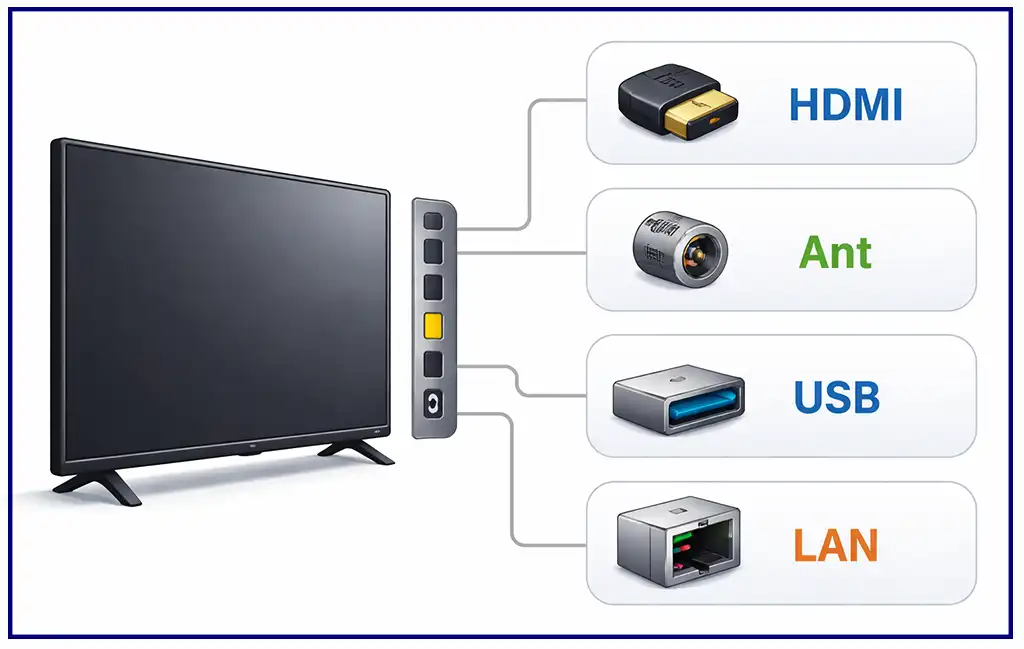
Modern TVs have several types of ports for connecting external devices. The most important is HDMI, but televisions can also have USB, Ethernet, optical audio, antenna, satellite, and, on older models, component, composite, or SCART connectors.
The number and type of ports depend on the TV model. Some connectors are now mainly found on older televisions, while HDMI, USB, and network connections are standard on most modern models.
A brief overview of TV ports and connectors
| Port | Main purpose | Signal type | Use on modern TVs |
|---|---|---|---|
| HDMI | Video and audio | Digital | Very common |
| USB | Storage and peripherals | Digital | Very common |
| Ethernet (LAN) | Internet and home network | Digital | Common |
| Optical (S/PDIF) | External audio | Digital | Common |
| ANT IN | Antenna or cable TV | RF | Common |
| SAT | Satellite TV | RF | Available on some models |
| Component (Y/Pb/Pr) | Older video devices | Analog | Rare |
| Composite (AV/RCA) | Older video and audio devices | Analog | Rare |
| SCART | Older European equipment | Analog | Obsolete |
| IR Out | External infrared control | Infrared | Rare |
The best connection depends on the device you want to connect. For a game console or Blu-ray player, HDMI is normally the best choice. A soundbar is usually connected through HDMI ARC or eARC, while Ethernet can provide a stable wired network connection.
HDMI
HDMI (High-Definition Multimedia Interface) is the main connection used to transmit digital video and audio to and from a TV. It is used for game consoles, streaming devices, Blu-ray players, computers, AV receivers, and soundbars.
HDMI carries both video and audio through one cable, which makes it much more convenient than older analog connections.
The capabilities of HDMI depend on both the HDMI specification and the implementation in the TV. A TV with an HDMI 2.1 connector does not necessarily support every feature associated with HDMI 2.1.
HDMI Versions
| HDMI version | Typical capabilities |
|---|---|
| HDMI 1.3 | Higher bandwidth and support for advanced multichannel audio |
| HDMI 1.4 | 4K video at up to 30 Hz, 3D, ARC |
| HDMI 2.0 | 4K video at up to 60 Hz |
| HDMI 2.0a | Added HDR support |
| HDMI 2.0b | Added support for HLG |
| HDMI 2.1 | Higher bandwidth and features such as 4K at up to 120 Hz on compatible equipment |
The maximum resolution and refresh rate are not determined by the HDMI version alone. The TV, source device, cable, and the specific HDMI port all have to support the required mode.
For example, if you want to connect a PlayStation 5 or Xbox Series X|S and use 4K at 120 Hz, you need a TV and connection that support this mode. Not every HDMI port on every TV provides the same capabilities.
HDMI ARC and eARC
Some HDMI ports have an additional function called ARC (Audio Return Channel). ARC allows the TV to send audio back through the HDMI cable to a compatible soundbar or AV receiver.
eARC (Enhanced Audio Return Channel) is a newer version with greater bandwidth and support for higher-quality audio formats.
| Feature | HDMI ARC | HDMI eARC |
|---|---|---|
| Sends TV audio to a soundbar | Yes | Yes |
| Uses HDMI cable | Yes | Yes |
| Higher-bandwidth audio | Limited | Yes |
| Lossless multichannel audio | Limited | Yes |
| Suitable for modern home theater systems | Yes | Better choice |
If your TV and soundbar both support eARC, connecting them through the HDMI eARC port is generally the preferred option.
The port is usually labeled HDMI ARC or HDMI eARC.
USB
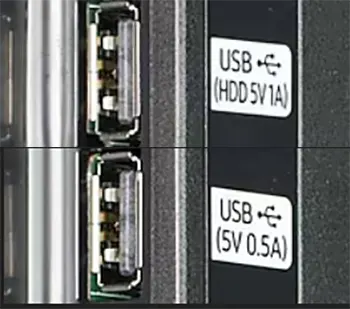
USB ports are used for connecting storage devices and some peripherals to the TV.
Depending on the TV model, USB can be used for:
- Playing photos, music, and video from a USB drive
- Recording TV programs
- Connecting a keyboard or mouse
- Powering small external devices
- Connecting compatible cameras or other accessories
TVs can have USB 2.0 or faster USB ports. USB 2.0 provides up to 480 Mbps, while USB 3.x versions can provide substantially higher transfer speeds.
The actual functionality depends on the TV software. A USB port does not automatically mean that every USB device or file format will be supported.
Ethernet (LAN)
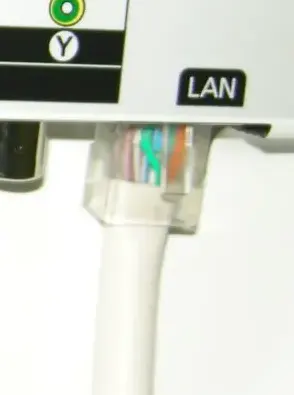
The Ethernet port connects the TV to a router or home network using a network cable.
A wired connection can be useful when:
- The TV is far from the Wi-Fi router
- The wireless signal is weak
- The Wi-Fi network is congested
- A stable connection is more important than convenience
Ethernet is not inherently slower than Wi-Fi. The actual speed depends on the Ethernet hardware in the TV, the router, and the network connection. Some TVs have Fast Ethernet ports, while others support Gigabit Ethernet.
For streaming, either Ethernet or Wi-Fi can be sufficient, but a wired connection can provide greater stability in difficult wireless environments.
Optical Audio (S/PDIF)
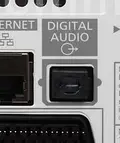
Optical S/PDIF, commonly called an optical audio connection or TOSLINK, sends digital audio from the TV to a soundbar, AV receiver, or other audio equipment.
It is useful when the external audio device does not have HDMI ARC or eARC.
Optical connections support stereo and several compressed multichannel audio formats. However, their bandwidth is limited compared with HDMI eARC, so optical is not the best choice for every modern home theater system.
If both devices support HDMI eARC, HDMI is generally the more capable connection.
Antenna Input (ANT IN)
The antenna input is used to connect the TV to an antenna or, depending on the country and television system, a cable TV connection.
It is normally a coaxial RF connector labeled ANT IN, RF IN, or a similar designation.
The TV’s built-in tuner determines which broadcast standards it can receive. Depending on the model and market, the tuner may support terrestrial, cable, or other broadcast standards.
This connection is still important even though many people now watch television through streaming services.
Satellite Input (SAT)
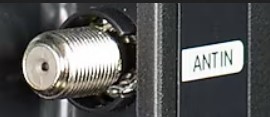
Some TVs, particularly models sold in Europe and other markets where satellite broadcasting is common, have a separate SAT IN connector.
It allows a compatible TV with a built-in satellite tuner to receive satellite broadcasts directly from a satellite dish.
A TV does not necessarily support satellite reception just because it has an antenna input. The presence of a separate SAT connector usually indicates that the television has hardware designed for satellite reception.
Component Video (Y/Pb/Pr)
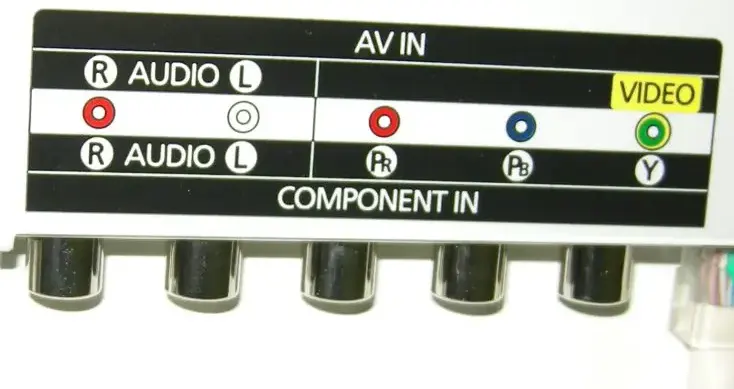
Component video is an older analog video connection that uses three separate signals:
- Y — luminance and synchronization
- Pb — blue-difference signal
- Pr — red-difference signal
The connectors are normally color-coded green, blue, and red.
Component video provided better image quality than composite video and was widely used with older DVD players, game consoles, and other video equipment.
It does not carry audio. Separate left and right audio connections are required.
Component inputs have largely disappeared from modern TVs and are mainly useful when connecting older equipment.
Composite Video and RCA
Composite video is another older analog connection. The video signal is carried through a single yellow RCA connector, while red and white RCA connectors are normally used for right and left stereo audio.
Composite video combines the image information into one signal, so its picture quality is lower than component or digital HDMI connections.
You may still find composite inputs on some older or budget TVs, sometimes through a special adapter that connects to a proprietary AV input.
SCART
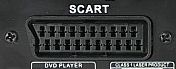
SCART was a widely used connector in Europe before HDMI became standard.
A SCART connection can carry several types of analog video and audio signals, including composite video and RGB.
SCART was commonly used to connect:
- VCRs
- DVD players
- Set-top boxes
- Older game consoles
SCART is now obsolete and is rarely found on modern TVs. If you need to connect old equipment to a modern television, an appropriate converter may be required.
RGB Connections
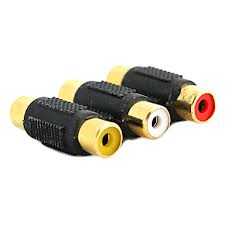
RGB describes a method of transmitting video using separate red, green, and blue components.
The term can refer to different physical interfaces, so RGB should not automatically be confused with the three RCA connectors used for component video. In older consumer electronics, RGB signals could be carried through SCART or other connectors.
Modern TVs normally use digital HDMI instead of analog RGB connections.
IR Out
IR Out is an infrared output used with certain external infrared adapters or control systems.
It can allow the TV to control compatible external equipment using infrared signals. This type of connection was more common on older or specialized TV models.
Modern TVs increasingly use HDMI-CEC, Bluetooth, network control, or other technologies for device control, so a dedicated IR output is now relatively uncommon.
Which TV Port Should You Use?
The right connector depends on what you want to connect.
| Device | Recommended connection |
|---|---|
| PlayStation 5 / Xbox Series X|S | HDMI, preferably a port supporting the required HDMI 2.1 features |
| Blu-ray player | HDMI |
| Streaming stick or box | HDMI |
| PC or laptop | HDMI |
| Soundbar | HDMI eARC or ARC |
| AV receiver | HDMI |
| USB flash drive | USB |
| Wired Internet | Ethernet |
| Wi-Fi Internet | Built-in Wi-Fi |
| Antenna | ANT IN |
| Satellite dish | SAT IN, if supported |
| Older DVD player | HDMI if available; otherwise component/composite |
| VCR | Composite or SCART on older TVs; converter may be needed for modern TVs |
For most modern devices, HDMI is the first connection to consider because it can carry both digital video and audio through a single cable.