
In today’s world, the Internet has become an integral part of everyday life. Despite the widespread use of Wi-Fi, wired Ethernet connections are still popular because they provide more stable and faster data transfer, and in most cases, routers need to be connected with an Ethernet cable, as there are not that many optical routers.
When choosing a cable, it is important to consider not only the price but also the quality. A reliable cable lasts longer, reduces the likelihood of failures, and eliminates the need for frequent replacement.
Understanding Ethernet cable categories
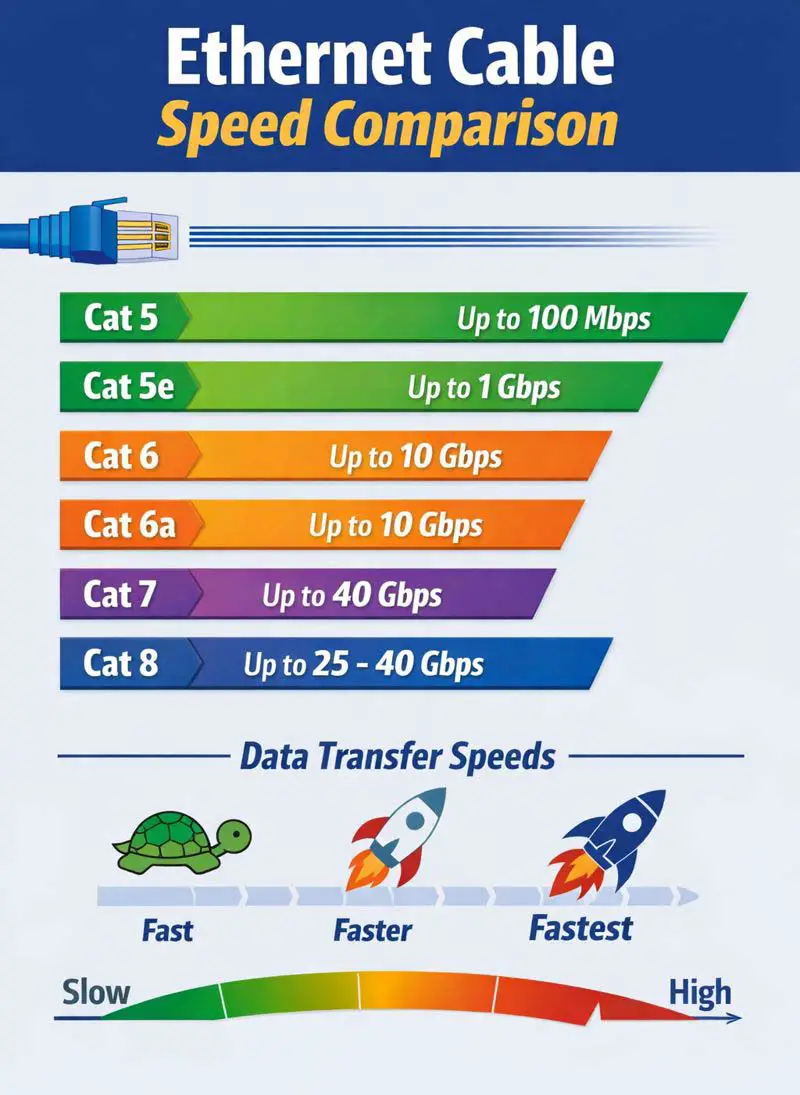
Cables differ in their data transfer speeds, which determines their category. All new versions are backward compatible with older ones, and the cable structure — eight wires with possible shielding — remains largely the same.
For home use, Cat 5e or Cat 6 cables are usually sufficient. Cat 5e supports speeds of up to 1 Gbps, while Cat 6 can handle up to 10 Gbps over short distances. Higher standards, such as Cat 6a, Cat 7, Cat 7a, and Cat 8, are intended for professional use—servers, offices, and enterprises that require high bandwidth and minimal interference.
Key differences between categories
As the category increases, not only does the bandwidth improve, but so does interference protection. Newer cables often have shielding for each pair of wires and a common protective braid. This is especially important in high electromagnetic noise environments. The precision of wire twisting also increases, which helps maintain signal quality.
The materials and thickness of the jacket also vary: modern cables are made of durable materials and may be less flexible but more durable. Most cables use standard RJ45 connectors, but some versions (e.g., Cat 7 and above) may require special connectors, which should be taken into account when purchasing.
Categories CAT 5, CAT 5e, CAT 6, CAT 6a
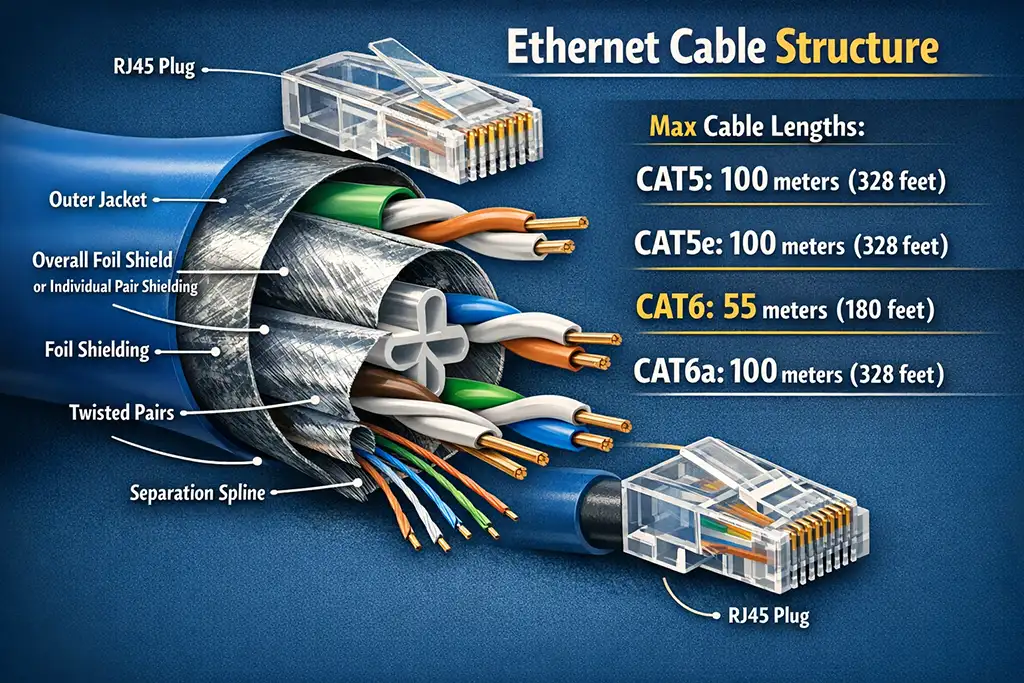
A standard RJ45 connector is used for cables in these categories. It is the same for CAT5, CAT5e, CAT6, and CAT6a cables and is usually a standard unshielded connector.
The outer jacket protects the cable from mechanical damage and acts as a primitive shield in cables of this category. It is usually made of foil.
Shielding is shown in the image in both possible forms. One option is an overall foil shield, which is a common foil layer around all twisted pairs (F/UTP, S/FTP). This design is typical for Category 5 and 5e low-speed cables. The other option is individual pair shielding, where each twisted pair has its own shield (S/FTP, F/FTP). This is usually implemented in Category 6 cables.
Inside the cable there are always four twisted pairs of copper conductors, but in Category 5 only two pairs are used, which provides a speed of 100 Mbps. In Categories 5e and 6, all four pairs are used. In practice, it is not efficient for the industry to produce Ethernet cables with only two pairs for Category 5, as low demand and the transition to higher speeds make universal four-pair cables more practical.
Twisting the pairs reduces electromagnetic interference. CAT6 and CAT6a cables have a smaller twist pitch, meaning the pairs are twisted more tightly than in CAT5 and CAT5e. In addition, while CAT5 and CAT5e do not impose strict requirements on the internal arrangement of the wire pairs, CAT6 and CAT6a use a plastic separator that fixes the pairs in place and prevents them from intertwining inside the cable, which reduces interference.
The maximum cable length is 100 meters (328 feet) for CAT5 and CAT5e. For CAT6, the maximum length is 55 meters (180 feet) when operating at 10 Gbps, while for 1 Gbps it can reach up to 100 meters. CAT6a supports 10 Gbps over a distance of 100 meters (328 feet). Depending on cable quality, these cables may also operate over longer distances, but the listed values represent the basic specifications.
CAT5 — 100 meters (328 feet)
CAT5e — 100 meters (328 feet)
CAT6 — 55 meters (180 feet) at 10 Gbps
(up to 100 meters at 1 Gbps)
CAT6a — 100 meters (328 feet) at 10 Gbps
Categories CAT 7, CAT 7a, CAT 8, CAT 8.1
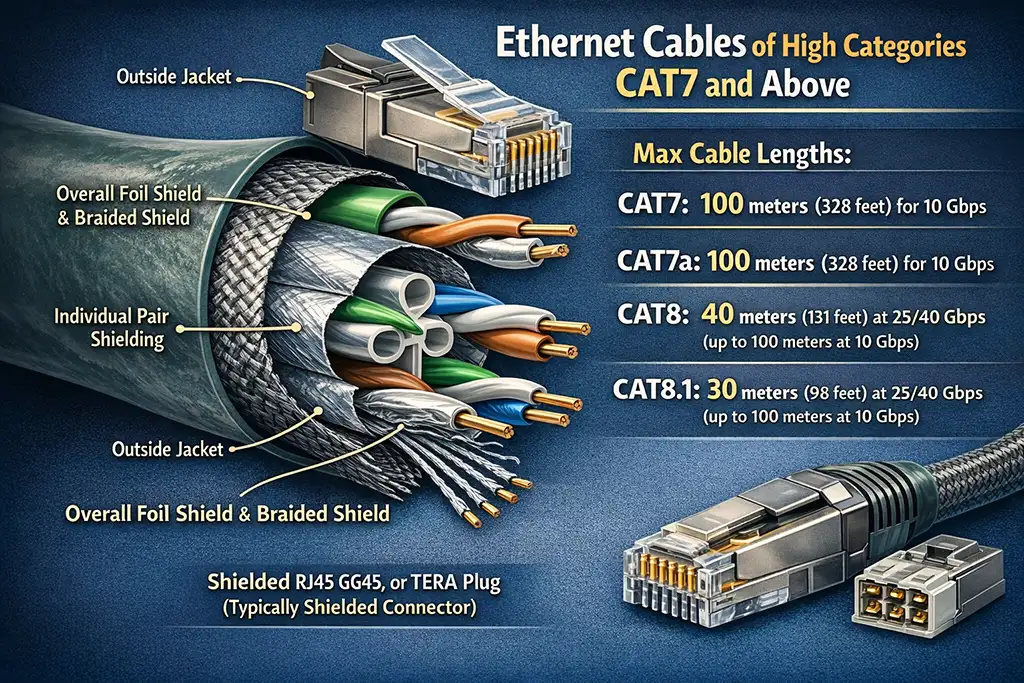
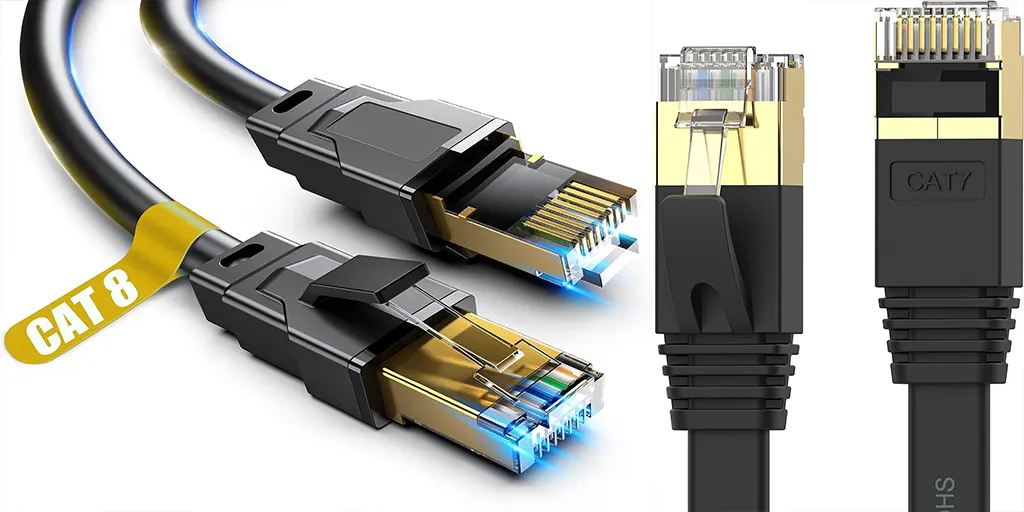
The main focus in these categories is on reinforced shielding, denser cable geometry, and the quality of the conductive cores. High-quality cables use gold-plated conductive cores, which reduces current resistance.
Unlike CAT5/5e cables and most CAT6 cables, high-end cables always use full shielding. Directly under the jacket is a combination of a common foil shield and a braided shield, which together protect the signal from external electromagnetic interference and significantly reduce extraneous crosstalk.
All four twisted pairs are inside the cable, and each pair has its own individual foil shield. This design is mandatory for CAT7, CAT7a, and CAT8 and is one of the main reasons why these cables can operate at much higher frequencies. The twisted pairs themselves have a very tight twist pitch and are held in a fixed position.
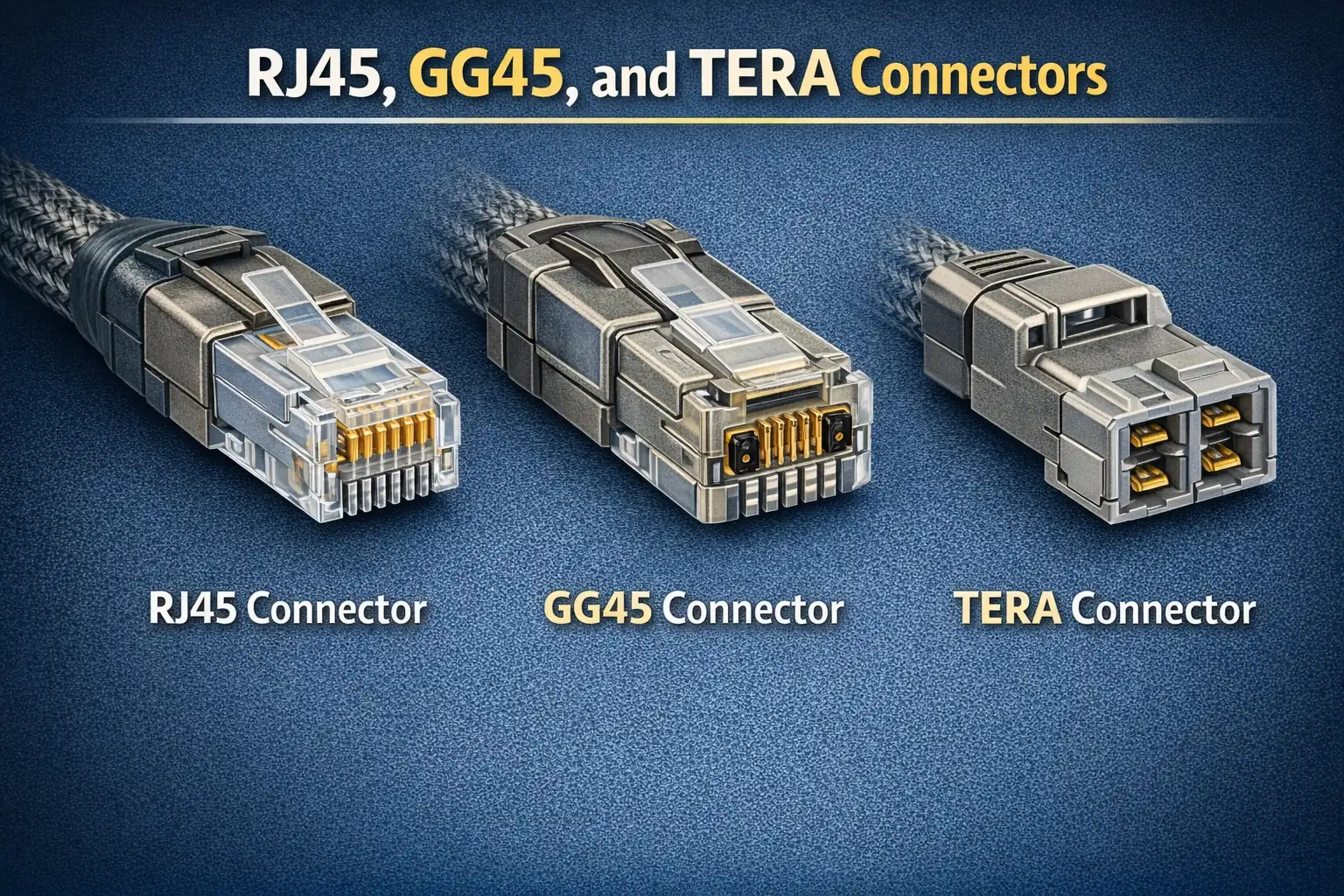
Shielded connectors must be used with cables in this category. Depending on the standard and application, this can be a shielded RJ45, GG45, or TERA connector. At these frequencies, continuity of shielding between the cable and connector is very important, so unshielded connectors should not be used.
Maximum supported cable length. CAT7 and CAT7a support data transfer rates of up to 10 Gbps over a standard Ethernet distance of 100 meters. CAT8 cables are primarily designed for data centers and support speeds of 25 or 40 Gbps over shorter distances, typically up to 30-40 meters, while maintaining the ability to transmit data at 10 Gbps over longer distances.
How to choose the right cable
The key is not to fall for marketing tricks. Genuine high-category cables are expensive, and it’s unlikely to find a quality Cat 7 or Cat 8 for under $10. For home use, such cables are usually unnecessary—Cat 6 offers an excellent balance of price and performance, meeting most needs. Choose based on your devices’ capabilities. For example, if your TV supports only 100 Mbps, a more expensive cable won’t increase its speed. But if you have routers with gigabit ports or plan to upgrade your internet speed, consider moving to Cat 6.
If your current network consists of older devices, replacing cables won’t bring benefits. But when upgrading your infrastructure or planning to connect more advanced equipment, investing in newer cables makes sense. This will not only increase speed but also ensure stable operation in the future. Choosing an Ethernet cable should be based on real needs. For most home networks, Cat 6 is the optimal choice—it offers high speed, reliability, and remains affordable.