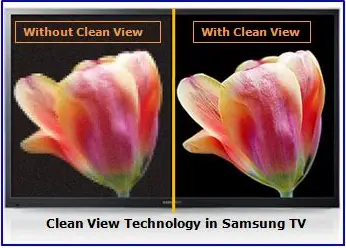
Samsung Digital Clean View is an image enhancement technology from Samsung designed to improve the quality of low-quality or compressed video content. When such technologies first emerged, TV manufacturers developed their own image processing algorithms to compensate for the limitations of broadcast signals, DVDs, and other low-quality video sources.
Today, such image-processing features are built directly into modern TV processors and are handled automatically by the TV. As a result, separate software solutions are no longer necessary. However, manufacturers continue to market these features under their own brand names, and since Digital Clean View is a trademarked Samsung technology, it remains part of the company’s branding in the area of image quality.
How Digital Clean View Works
Digital Clean View is not a standalone feature, but rather a set of image-processing algorithms that work together in real time. These algorithms analyze the incoming video signal and attempt to reduce visual imperfections such as graininess, digital noise, pixelation, and compression artifacts. The system can also apply additional processing to enhance sharpness, contrast, and color reproduction, especially when playing back low-resolution content or content with visible image defects.
Essentially, Digital Clean View is designed to improve video that is inherently of low quality. When watching high-quality content, such as videos in HD, Full HD, or 4K formats, this technology does not work because the source video already contains sufficient detail and there is nothing to correct. Therefore, the benefits of Digital Clean View are most noticeable when watching old TV shows, low-bitrate videos, or heavily compressed videos.
How to find Digital Clean View in the Samsung TV menu
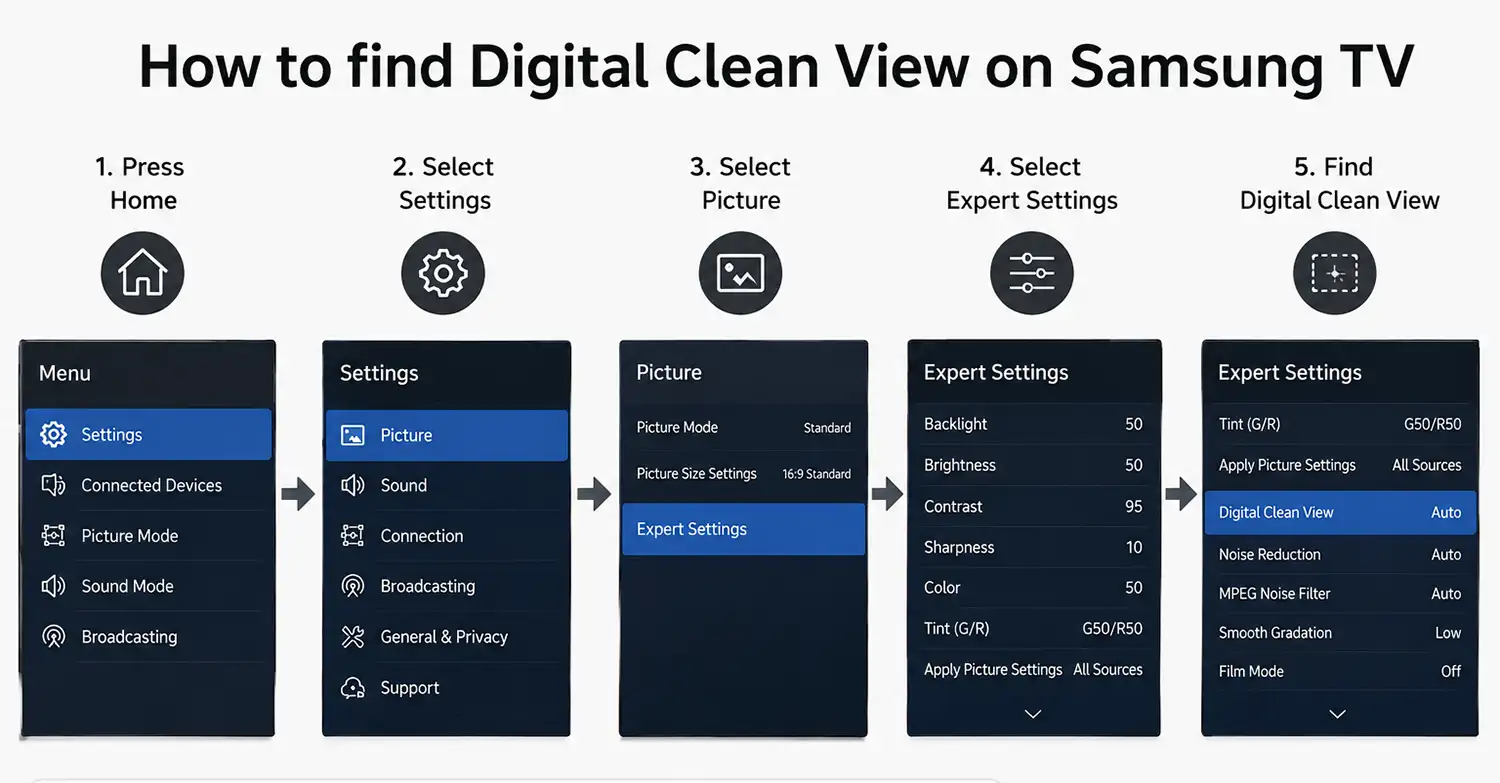
To access the Digital Clean View setting on a Samsung TV, open the TV’s main menu and go to Settings. From there, select Picture, then open Expert Settings. Inside this section, look for Digital Clean View and open it to adjust the feature.
The navigation path is usually:
Settings → Picture → Expert Settings → Digital Clean View
On some Samsung TV models, especially newer Smart TVs, the menu may appear slightly differently. In that case, open:
Home → Settings → All Settings → Picture → Expert Settings → Digital Clean View