NFC (Near Field Communication) appeared in LG TVs for one simple purpose: to connect a smartphone to the TV quickly, without manual setup. Hold the phone near the right spot and the devices pair within seconds.
How NFC works
NFC is a type of RFID and works over a very short distance. LG’s own help pages give a typical range of about 10 cm, and in practice phones often have to be held almost against the tag. A connection is made in under a second.
One point is often missed: NFC in LG TVs does not transfer video or photos. It only acts as a handshake: it recognizes the device, launches the app and starts pairing. The content itself travels over Wi-Fi, or through screen mirroring such as Miracast.
Three generations of NFC in LG TVs
1. The Tag On sticker
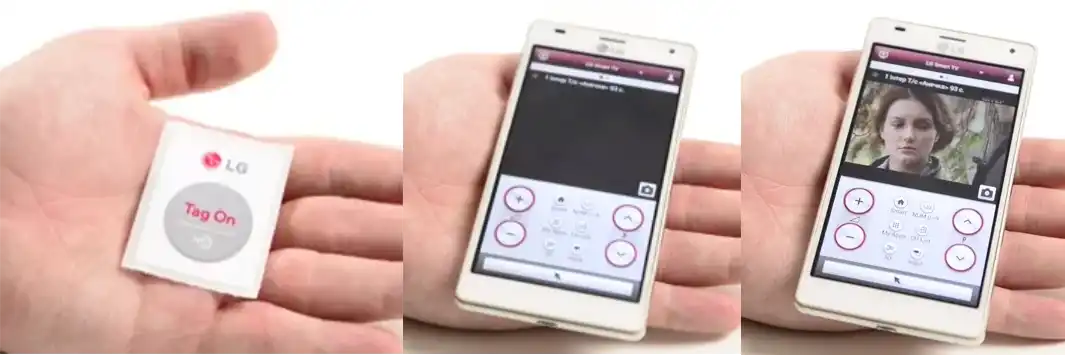
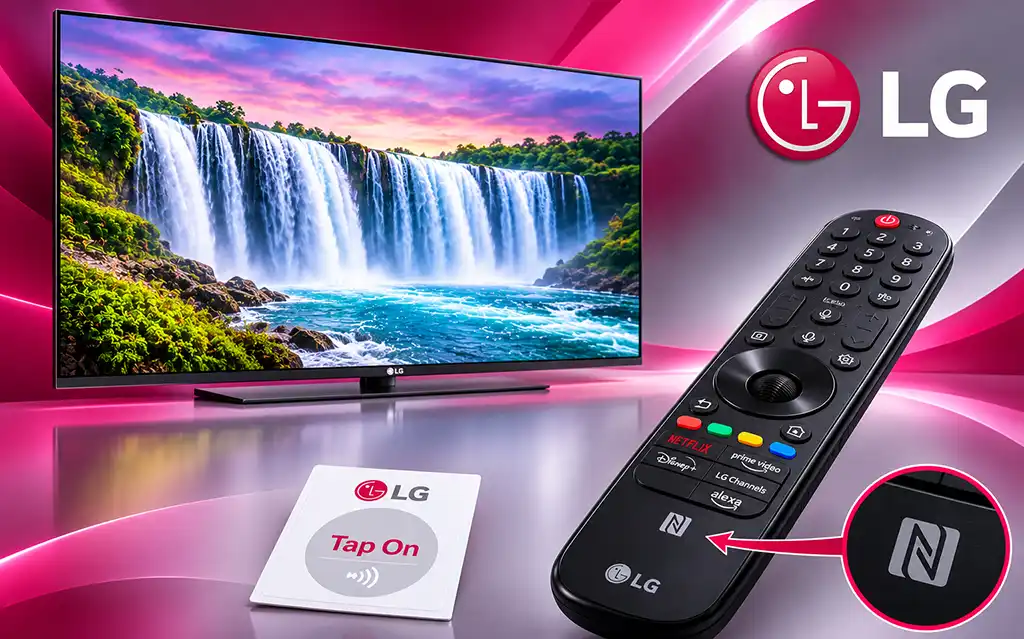
Earlier models had a special tag (a sticker) on the TV body. It is a passive chip with no power supply, and the smartphone is the active device.
Setup, according to LG’s instructions:
- Turn on NFC on the phone, along with reading, writing and P2P mode.
- Touch the phone to the Tag On sticker on the TV. The LG TV Tag On and LG TV Remote apps will be installed.
- Touch the sticker again. A confirmation code appears on the TV screen. Enter it on the phone.
Requirement: the phone and the TV must be on the same Wi-Fi network, or screen mirroring (Miracast) must be turned on on the TV.
In practice this method never caught on: looking for a sticker on the TV body is awkward, and launching an app from its icon is easier.
2. NFC in the Magic Remote (webOS 6.0, 2021 models and later)
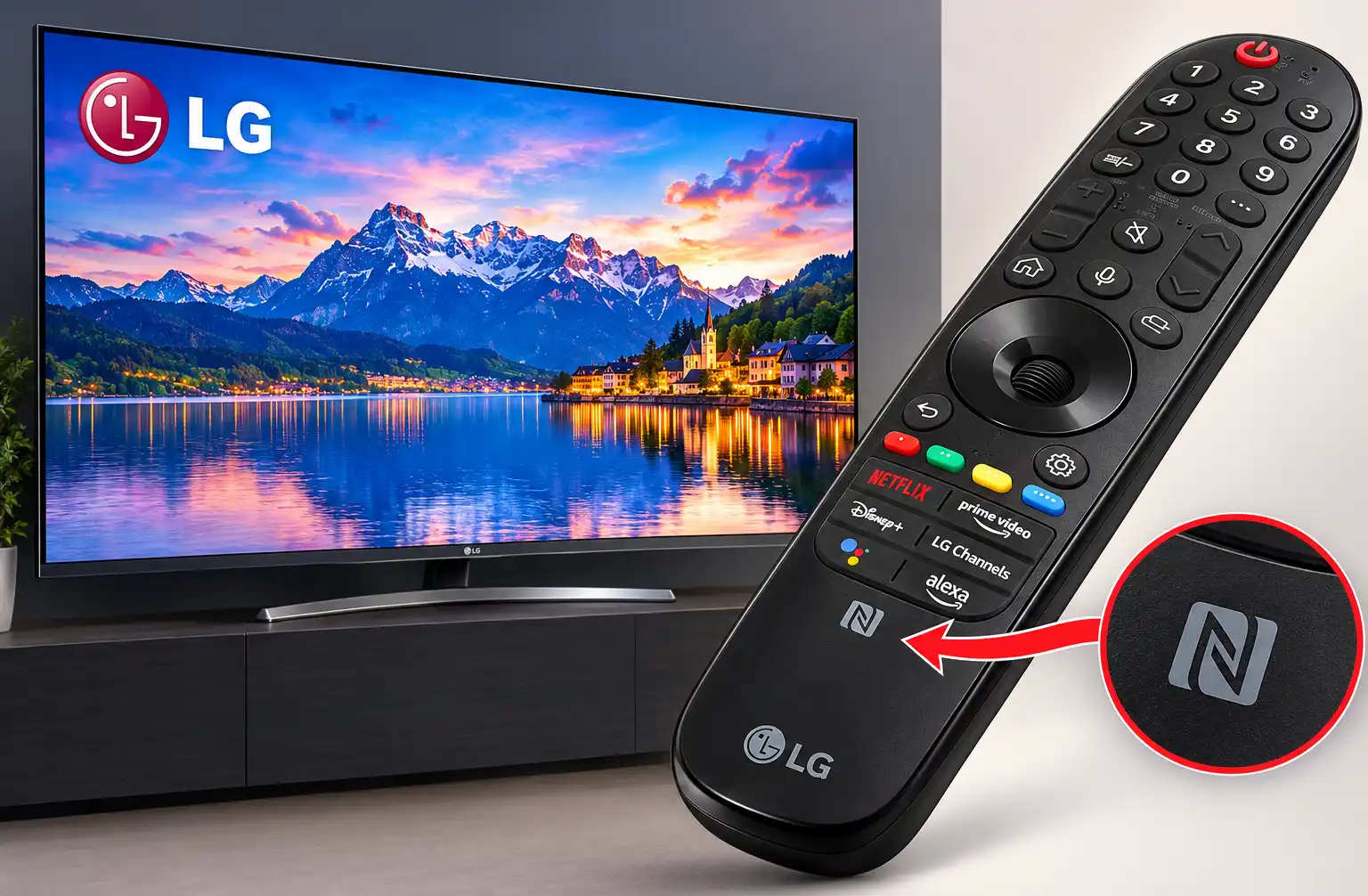
Next, the NFC module moved into the Magic Remote. The remote is always within reach, so this version is more convenient. It arrived with the webOS 6.0 platform in 2021 TVs (OLED, QNED, NanoCell, UHD) and was named Magic Tap. Touch an NFC smartphone to the remote, and you can send content from the phone to the TV or the other way around.
Steps:
- Turn on NFC on the smartphone (on Android this option is in the settings, while the iPhone has no separate switch).
- Touch the phone to the NFC mark on the remote. If LG ThinQ is not installed, the phone will offer to install it.
- Touch the remote with the phone again. Through LG ThinQ you can connect the smartphone to the TV and watch its content on the big screen.
3. Support in newer models
The 2022 Magic Remote user manual still describes the NFC feature, albeit with some caveats. Support for this feature in TV models released after 2022 has not been announced.
Caveats to keep in mind when buying and setting up:
- The feature works only with a remote that has an NFC logo. Look for it under the streaming-service buttons. On some remotes it is on the back. Without the logo there is no Magic Tap.
- You need a smartphone with NFC and the LG ThinQ app.
- On iPhone, one extra tap is needed after the tag is recognized, while on most Android phones the actions start automatically.
- In some countries LG does not support installing ThinQ through the NFC tag.
Why NFC never became popular
People are used to familiar controls: the remote, a phone app, a voice assistant. There are other easy ways to send video to a TV as well: casting and screen mirroring. NFC saves a few taps but does not solve a problem that most people have. For LG it is a convenient extra rather than a reason to choose a particular model.