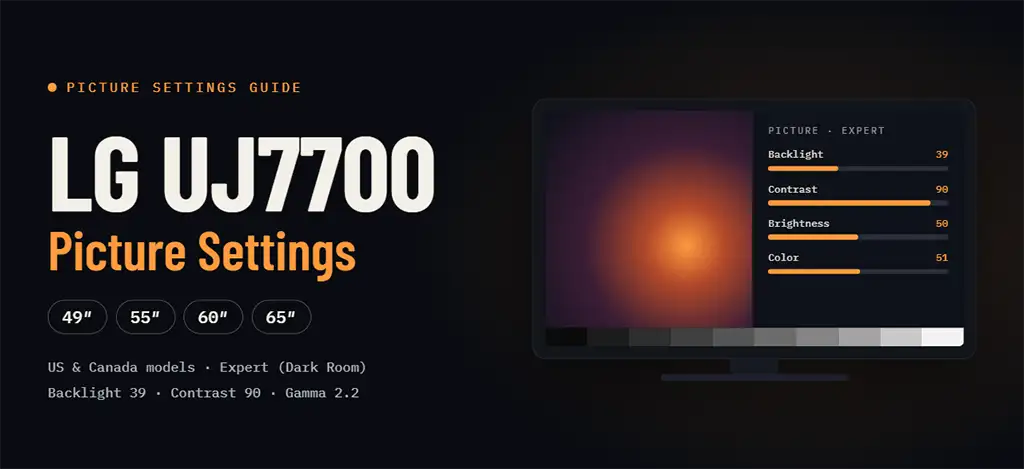
These are the recommended picture settings for the LG UJ7700 series sold in the US and Canada: the 49UJ7700, 55UJ7700, 60UJ7700 and 65UJ7700. The TVs use an IPS panel and support HDR. When they were released, HDR had only just become a common feature and there was still very little HDR content.
The values below will help you get a more accurate and natural picture than the factory presets. They are intended for a dark or dimly lit room.
Quick Settings Overview
Picture Mode: Expert (Dark Room)
Setting
Value
Aspect Ratio
Original
Energy Saving
Off
Picture Mode Settings
Setting
Value
Backlight
39
Contrast
90
Brightness
50
H Sharpness
0
V Sharpness
0
Color
51
Tint
0
Picture Options
Setting
Value
Noise Reduction
Off
MPEG Noise Reduction
Off
Black Level
Low
LED Local Dimming
Off
TruMotion
Off
Expert Control
Setting
Value
Dynamic Contrast
Off
Super Resolution
Off
Color Gamut
Normal
Edge Enhancer
Off
Color Filter
Off
Gamma
2.2
White Balance
Setting
Value
Color Temperature
Warm2
Method
2 point
Pattern
Outer
Point
Low
White balance values (by IRE level):
IRE
Red
Green
Blue
5
-6
-3
-14
10
-3
-3
-10
15
-2
-1
0
20
-9
-9
3
25
-7
-8
2
30
0
-2
5
35
-3
-6
0
40
-2
-4
-2
45
-1
-3
-3
50
-1
-1
0
55
0
-2
1
60
-8
-5
-2
65
-9
-4
-1
70
-3
-1
5
75
-4
3
7
80
-2
0
9
85
-3
-1
12
90
-8
-6
12
95
0
-3
19
100
0
0
35
What Each Setting Does
Expert (Dark Room): the most accurate picture mode, designed for dim lighting. In a bright room, try Expert (Bright Room) and raise the backlight.
Aspect Ratio – Original: shows the picture in its source proportions, without stretching or cropping.
Energy Saving – Off: automatic power saving dims the screen and changes brightness on its own.
Backlight: controls overall screen brightness. Adjust it to your room, since 39 is tuned for a dark room.
Contrast and Brightness: Contrast sets the white level, and Brightness sets the black level. Check them on a test pattern so that you don’t lose detail in bright or dark areas.
H/V Sharpness – 0: avoids artificial edge halos on a 4K picture.
Noise Reduction and MPEG Noise Reduction – Off: these filters smooth fine detail. Turn them on only for low-quality sources.
Black Level – Low: suits standard video sources. If you connect a PC that outputs full-range RGB, try High or Auto.
LED Local Dimming – Off: local dimming can raise contrast, but it may also cause uneven brightness in dark scenes.
TruMotion – Off: disables motion smoothing and the “soap opera effect”. For fast sports you can try a low setting if you prefer smoother motion.
Dynamic Contrast, Super Resolution, Edge Enhancer – Off: these add artificial processing, so the image stays closer to the source.
Color Gamut – Normal: keeps colors accurate for standard content; Wide tends to oversaturate.
Gamma 2.2: a common target for normal viewing.
Color Temperature – Warm2: on LG TVs this is typically the closest preset to the standard white point.
White balance: fine-tunes color neutrality across brightness levels, from dark grays to white.