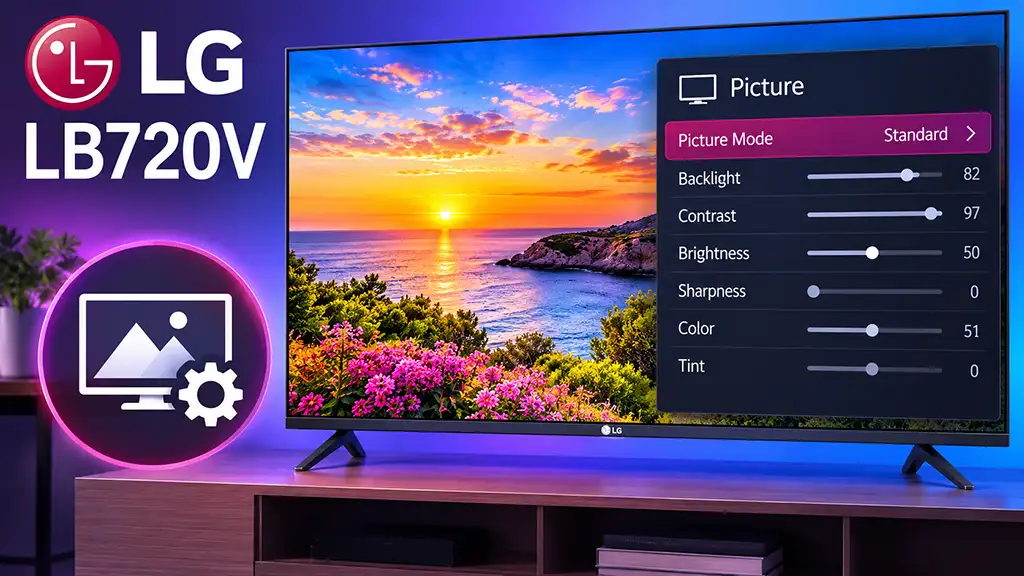
LG televisions are shipped with factory picture settings designed for general use. These settings are usually adjusted for showroom conditions and may not provide the most accurate picture at home. Although the TV includes preset modes such as Cinema, Sports, or Standard, manual calibration can improve image quality by providing more natural colors, better contrast, and a more balanced white level.
The following recommended settings are designed for the LG 42LB720V model. They can also be used as a starting point for other televisions in the LG LB720V series, regardless of screen size. Small differences between individual panels may require minor adjustments.
LG 42LB720V picture settings table
| Setting | Recommended value |
|---|---|
| Picture Mode | ISF Expert 1 |
| Backlight | 85 |
| Contrast | 90 |
| Brightness | 54 |
| Energy Saving | Off |
| Horizontal Sharpness | 10 |
| Vertical Sharpness | 10 |
| Color | 60 |
| Tint | 0 |
| Dynamic Contrast | Off |
| Super Resolution | Off |
| Color Gamut Range | Standard |
| Edge Enhancer | Off |
| Color Filter | Off |
| White Balance | 20 Point |
| Color Temperature | Warm2 |
| Method | 20 Point IRE |
| Pattern | Outer |
| Aspect Ratio | Just Scan |
| Noise Reduction | Off |
| MPEG Noise Reduction | Off |
| Black Level | Low |
| Real Cinema | Off |
| Motion Eye Care | Off |
| LED Local Dimming | Off |
| TruMotion | Off |
White Balance settings
For more accurate grayscale reproduction, use the following 20 Point White Balance calibration values.
| IRE Level | Red | Green | Blue |
|---|---|---|---|
| 100 | -31 | 0 | 1 |
| 95 | -27 | -14 | -6 |
| 90 | -14 | 2 | 7 |
| 85 | -9 | -7 | -9 |
| 80 | 1 | -8 | -7 |
| 75 | 0 | -15 | -17 |
| 70 | 0 | -13 | -12 |
| 65 | -6 | -24 | -20 |
| 60 | -9 | -20 | -14 |
| 55 | -16 | -23 | -18 |
| 50 | -15 | -21 | -15 |
| 45 | -18 | -19 | -18 |
| 40 | -15 | -21 | -14 |
| 35 | -17 | -18 | -16 |
| 30 | -15 | -14 | -17 |
| 25 | -16 | -17 | -20 |
| 20 | -19 | -19 | -24 |
| 15 | -20 | -18 | -25 |
| 10 | -18 | -18 | -49 |
| 5 | 9 | 8 | 51 |
Explanation of picture settings
Picture Mode ISF Expert 1: The ISF Expert 1 mode provides access to advanced calibration controls and is designed for accurate picture reproduction. Unlike dynamic modes such as Standard or Vivid, it avoids excessive contrast, oversaturated colors, and artificial image processing.
Backlight 85: Backlight controls the brightness of the LED panel itself. A value of 85 provides a bright image suitable for normal rooms while maintaining good black levels. In darker rooms, this value can be reduced.
Contrast 90: Contrast controls the difference between bright and dark areas. A value of 90 provides strong highlights without causing excessive loss of detail in bright areas.
Brightness 54: Brightness adjusts the black level and shadow detail. The recommended value helps preserve details in dark scenes without making blacks appear gray.
Energy Saving Off: Energy Saving automatically reduces the backlight brightness to lower power consumption. Turning it off keeps the picture brightness stable and prevents unwanted changes during viewing.
Sharpness 10 / 10: Low sharpness values help maintain a natural image. Excessive sharpness creates artificial edges and visible outlines around objects.
Color 60: A slightly increased color value provides richer colors while keeping them close to natural reproduction.
Tint 0: Tint controls the balance between green and magenta. The neutral value 0 provides correct color balance.
Dynamic Contrast Off: Dynamic Contrast changes contrast automatically depending on the scene. Although it can make the image appear more impressive, it may reduce detail in dark and bright areas.
Super Resolution Off: Super Resolution attempts to enhance low-resolution content. When disabled, the TV displays the original image without additional processing artifacts.
Color Gamut Standard: The Standard color range provides more accurate colors compared with wider color modes that may oversaturate the picture.
Edge Enhancer Off: Edge Enhancer increases artificial contours around objects. Disabling it produces a smoother and more realistic image.
Color Filter Off: Color Filter is used only for professional calibration. For normal viewing it should remain disabled.
White Balance 20 Point / Warm2: The Warm2 color temperature gives a more natural white balance closer to professional calibration standards. The 20-point adjustment allows precise correction of grayscale from dark shadows to bright highlights.
Aspect Ratio Just Scan: Just Scan displays the complete image from the source without cropping. It is recommended for HDMI devices, Blu-ray players, and high-definition broadcasts.
Noise Reduction Off: Noise reduction can remove visible noise from low-quality sources, but it may also soften fine details. For high-quality HD and Full HD content, it is better to disable it.
MPEG Noise Reduction Off: MPEG noise reduction is useful for compressed broadcasts but can reduce image clarity. It should remain off for high-quality sources.
Black Level Low: The Low setting provides the correct black level for HDMI video signals using the standard limited range (16–235).
Real Cinema Off: Real Cinema improves film playback by matching cinema frame rates. It can be enabled when watching movies from 24p sources.
Motion Eye Care Off: Motion Eye Care automatically adjusts brightness during movement to reduce eye fatigue. Disabling it keeps the picture consistent.
LED Local Dimming Off: The LB720V uses edge LED backlighting. Local dimming can sometimes create brightness fluctuations, so disabling it provides a more stable image.
TruMotion Off: TruMotion creates additional frames to make movement smoother. Turning it off preserves the original cinematic motion and avoids the “soap opera effect.”