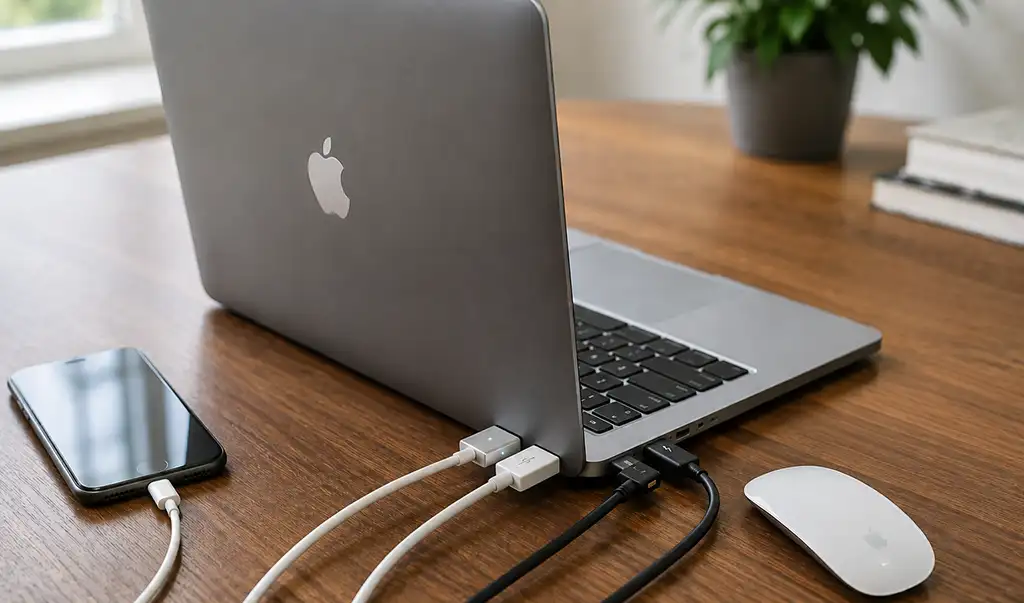
Over the years, Apple MacBook laptops have featured a wide variety of ports. As technology has evolved, Apple has gradually replaced outdated ports with faster and more versatile alternatives. Understanding the purpose of each port makes it easier to connect external displays, storage devices, chargers, and other accessories.
MagSafe ports from 2006 to the present
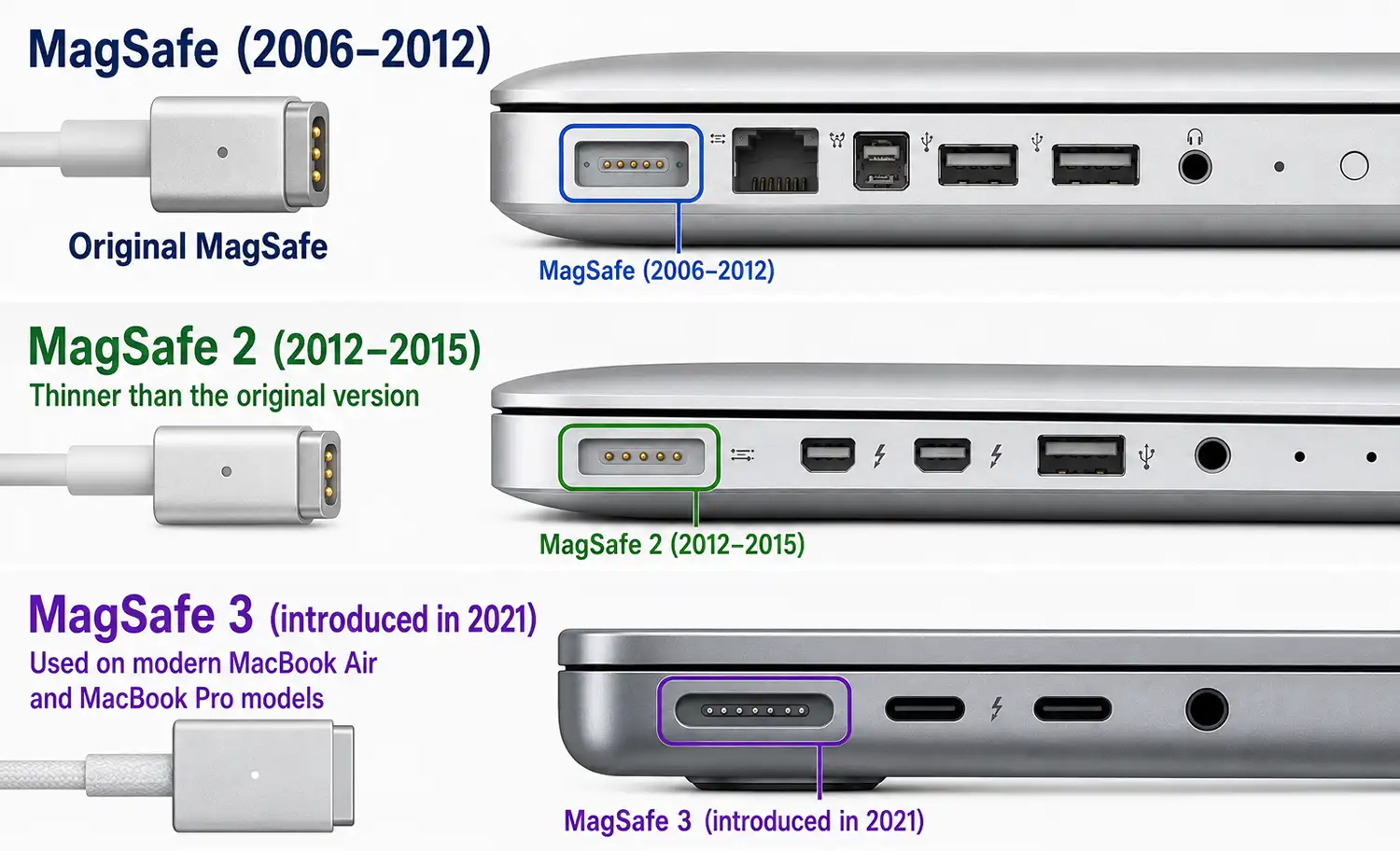
MagSafe is Apple’s magnetic charging connector. If someone accidentally pulls on the charging cable, it detaches safely instead of pulling the laptop off the desk.
There have been three versions:
- MagSafe (2006–2012)
- MagSafe 2 (2012–2015), which is thinner than the original version
- MagSafe 3 (introduced in 2021), used on modern MacBook Air and MacBook Pro models
MagSafe 3 supports fast charging on compatible MacBooks while leaving the USB-C ports available for other devices.
USB-A ports
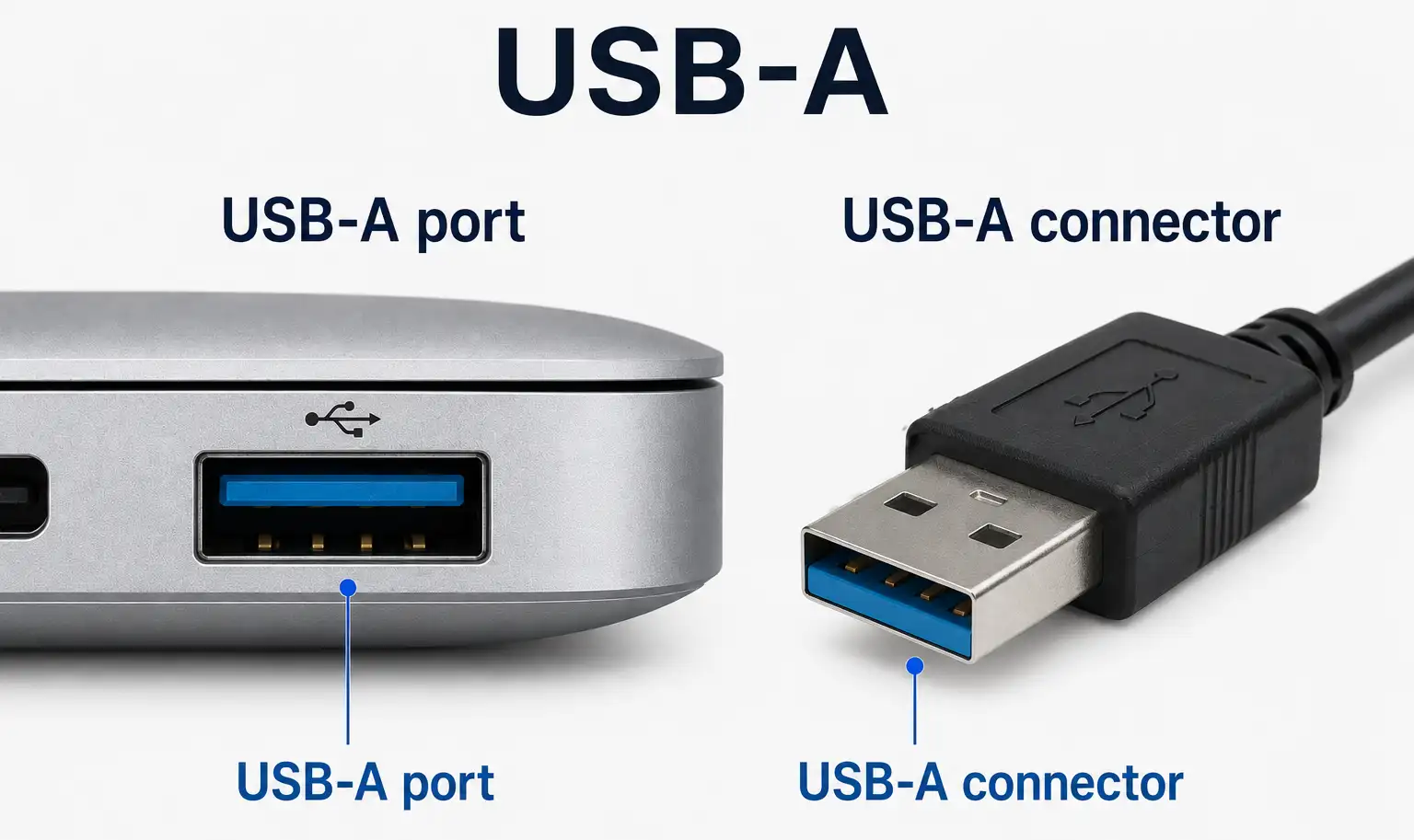
For many years, USB Type-A was the standard connector found on MacBooks and one of the most widely used computer interfaces. Although newer MacBook models have transitioned to USB Type-C, USB-A remains common and is still used to connect flash drives, external hard drives, printers, keyboards, mice, USB hubs, and many smartphones and other accessories.
Depending on the MacBook model and production year, USB-A ports support either the USB 2.0 or USB 3.0 standard. USB 3.0 offers much higher data transfer speeds than USB 2.0, making it better suited for high-speed storage devices and other bandwidth-intensive peripherals.
USB-C port
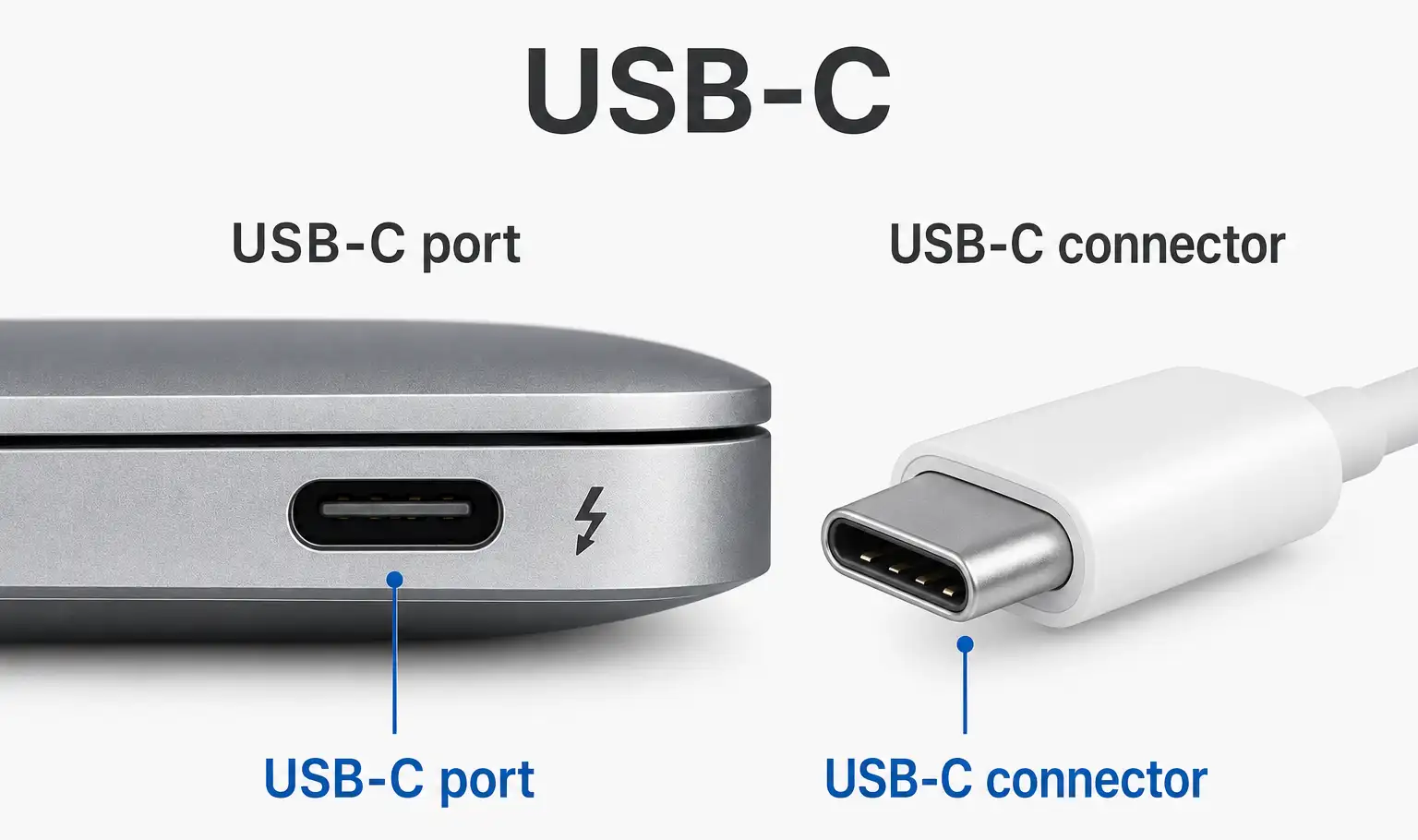
Since 2015, USB-C has been the standard port on Apple laptops. It is a universal connector designed to standardize connectivity across different devices and reduce the number of cables required. Depending on its implementation, it can be used for charging a MacBook, transferring data, connecting external monitors, external SSDs, docking stations, Ethernet adapters, and audio interfaces.
The USB-C port supports several technologies, including USB 3, USB 4, and Thunderbolt, depending on the MacBook model and hardware implementation.
Thunderbolt port
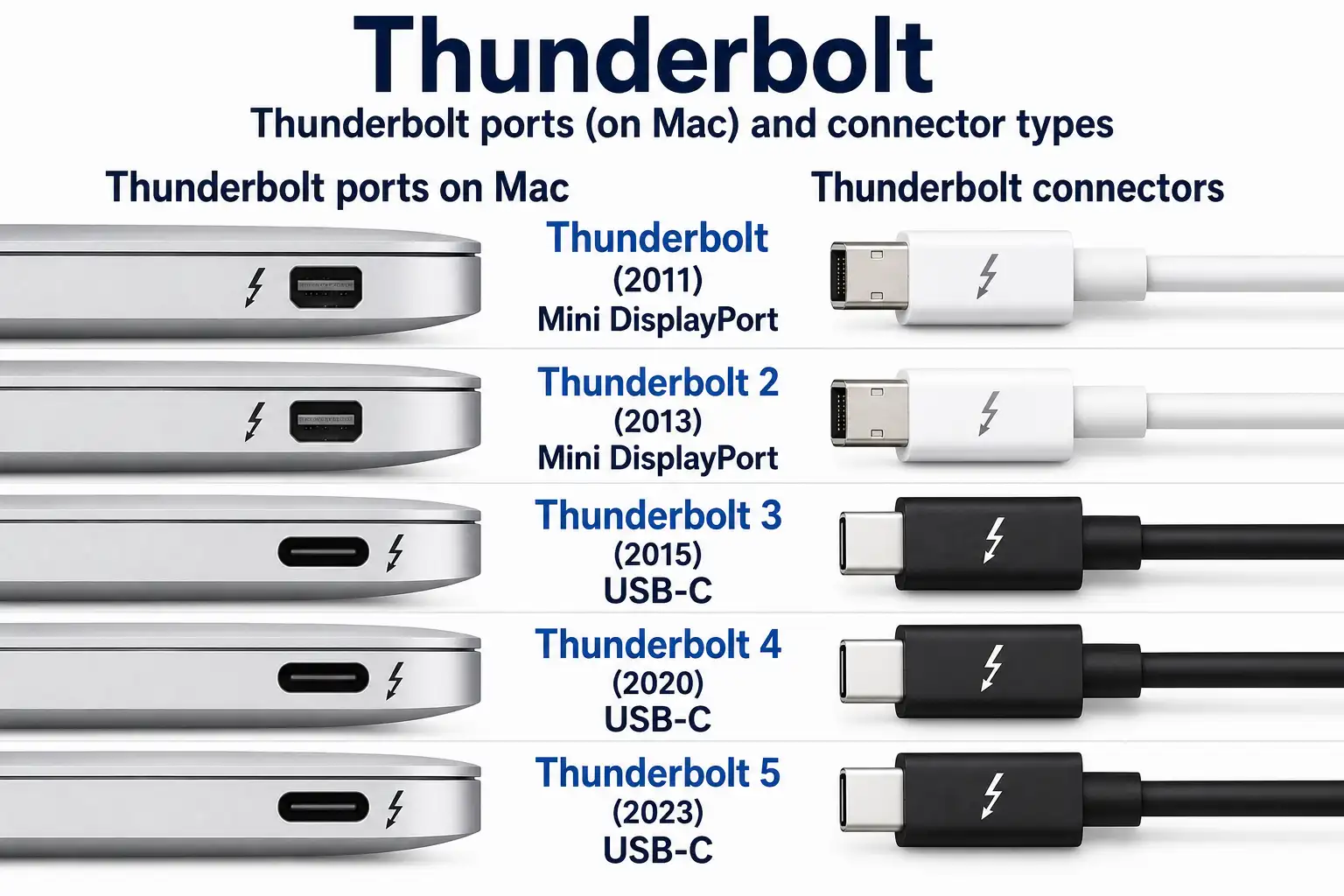
Thunderbolt is a high-speed hardware interface developed by Intel in collaboration with Apple. It combines high-speed data transfer, video output, and power delivery into a single connection, allowing one port to connect a wide variety of devices.
Several generations of Thunderbolt have been released:
- Thunderbolt (2011) – uses the Mini DisplayPort connector.
- Thunderbolt 2 (2013) – uses the Mini DisplayPort connector and doubles the available bandwidth.
- Thunderbolt 3 (2015) – introduced the USB-C connector, providing higher performance and greater compatibility.
- Thunderbolt 4 (2020) – continues to use the USB-C connector with stricter certification requirements and improved support for displays and accessories.
- Thunderbolt 5 (2023) – uses the USB-C connector and provides significantly higher bandwidth for demanding professional applications.
Depending on the Thunderbolt version and the MacBook model, the port can be used for transferring large amounts of data at very high speeds, connecting one or more external monitors, using high-performance external SSDs, docking stations, professional audio and video equipment, and network adapters. On compatible Intel-based Macs, Thunderbolt also supports external graphics processing units (eGPUs).
HDMI Port
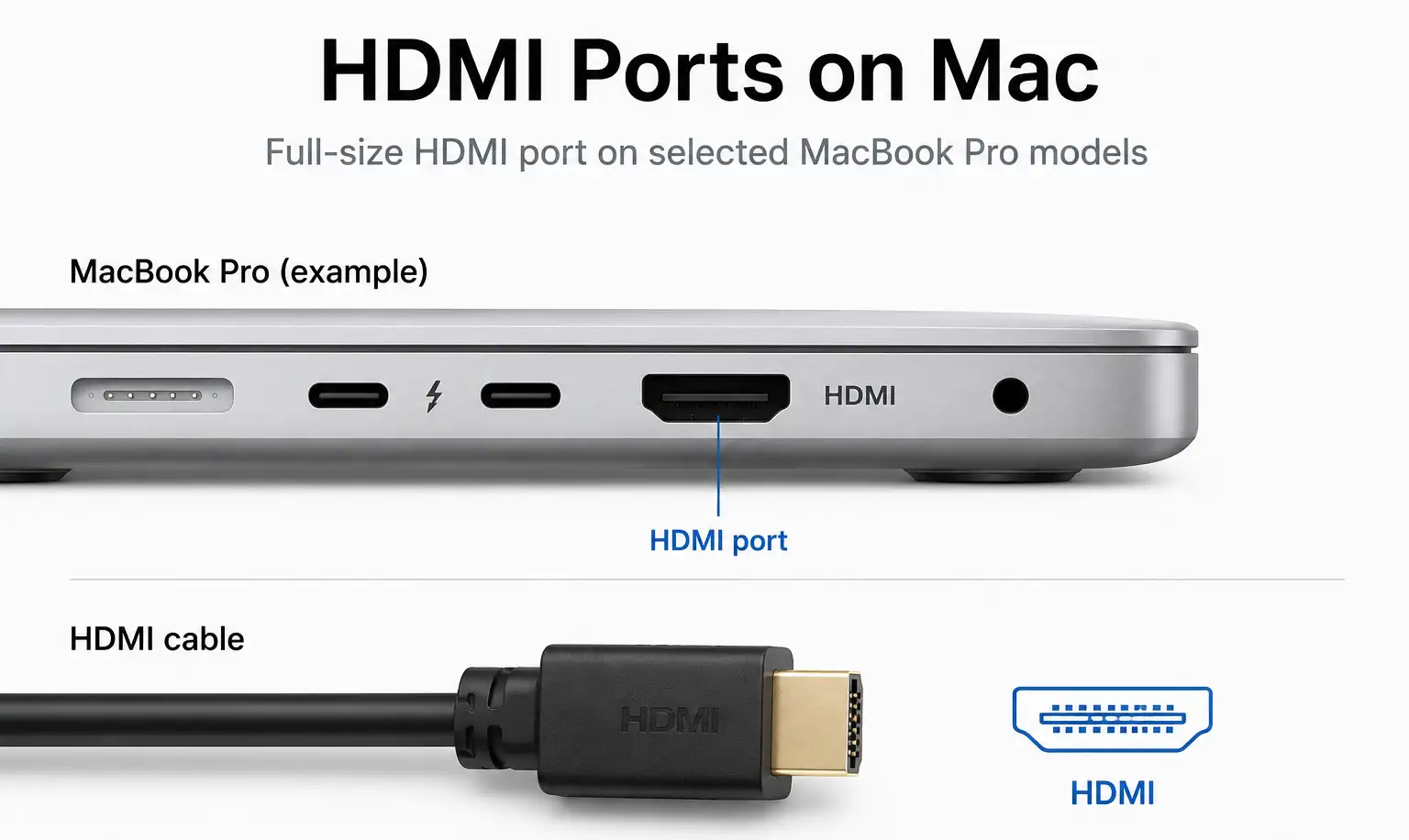
HDMI (High-Definition Multimedia Interface) is a digital audio and video interface used to connect a MacBook directly to external displays and multimedia equipment. Of course, it is primarily used to connect monitors.
Some MacBook Pro models feature a full-size HDMI port, while others have a Mini HDMI port, eliminating the need for a USB-C to HDMI adapter. This also frees up the USB-C port for other connections.
SDXC Card Slot
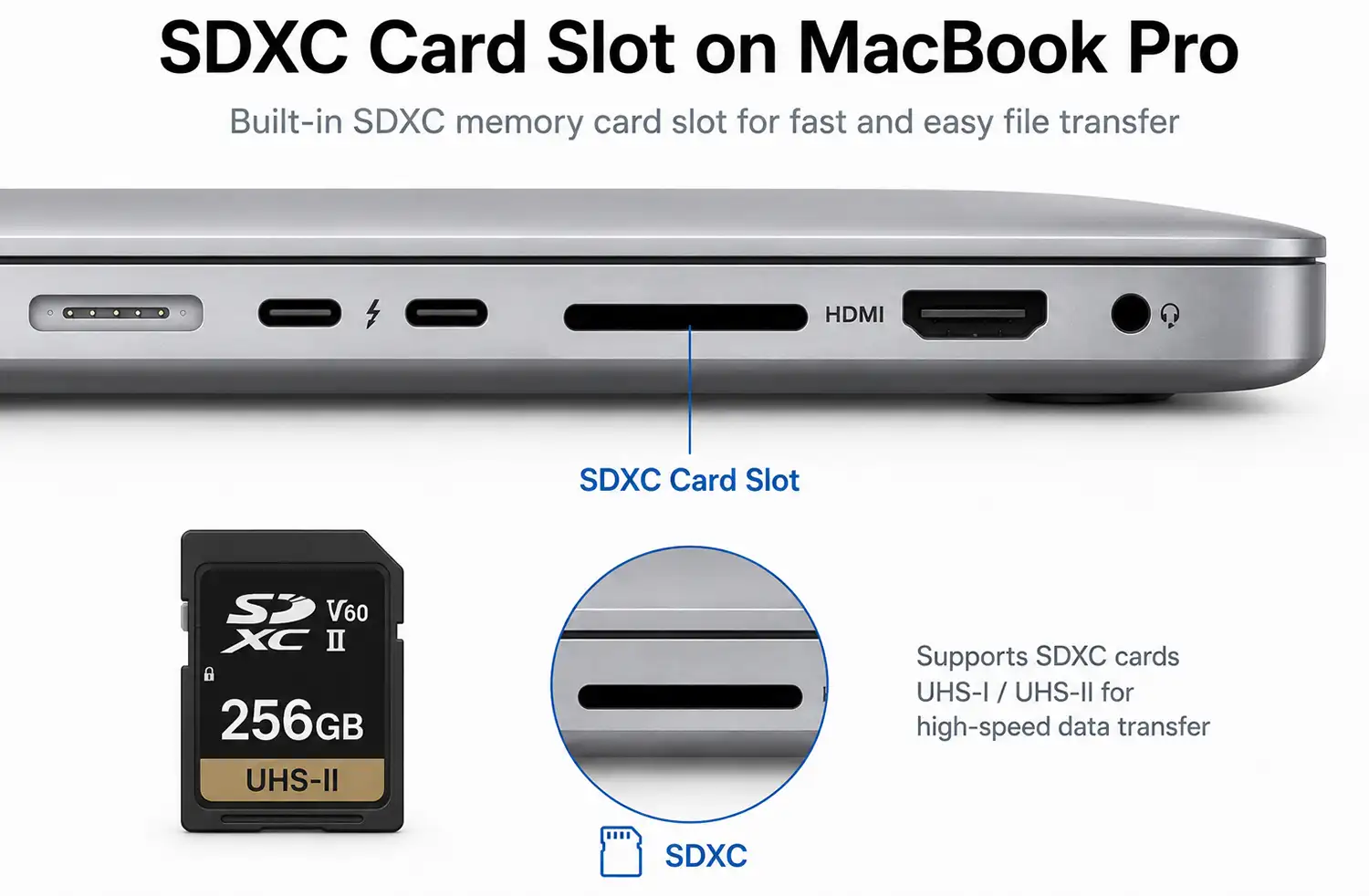
The SDXC card slot is a built-in memory card reader available on selected professional MacBook Pro models. It is designed for direct access to SDXC memory cards commonly used in digital cameras, camcorders, and other professional imaging equipment.
The SDXC card slot is especially useful for photographers, videographers, and content creators, allowing photos and videos to be transferred directly from a memory card to the MacBook without requiring an external card reader or adapter.
Depending on the MacBook model, the SDXC card slot supports high-speed UHS-I or UHS-II memory cards, enabling fast file transfers for high-resolution photos and 4K or 8K video recordings.
Headphone Jack
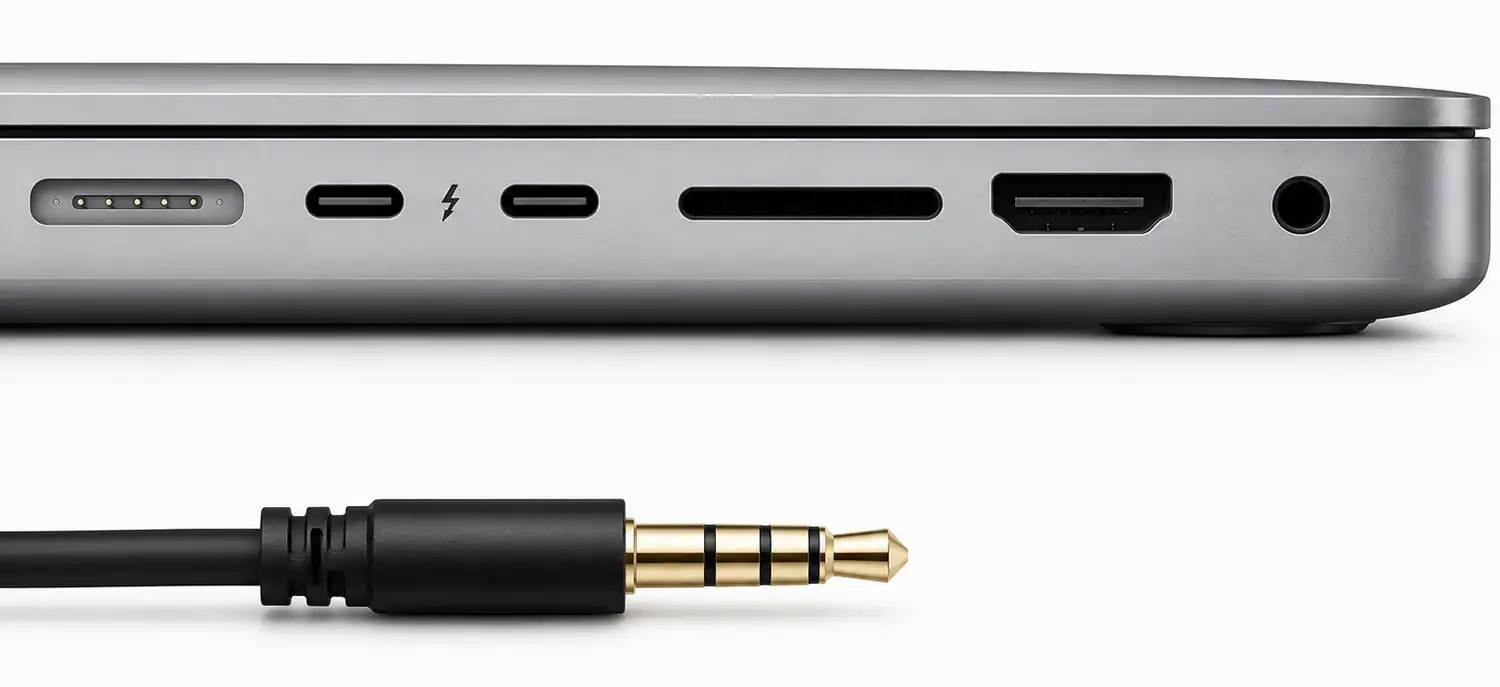
The 3.5 mm headphone jack is a standard analog audio connector found on most MacBook models. It provides a simple and reliable way to connect wired audio devices without requiring adapters or wireless connectivity.
The port supports wired headphones, external speakers, microphones used with compatible headsets, and other audio equipment with a 3.5 mm plug. It is commonly used for listening to music, watching videos, making voice and video calls, recording audio, and connecting external sound systems.
On newer MacBook Pro models, the 3.5 mm headphone jack also supports high-impedance headphones, providing sufficient output power to drive professional studio headphones without the need for an external headphone amplifier.
Mini DisplayPort
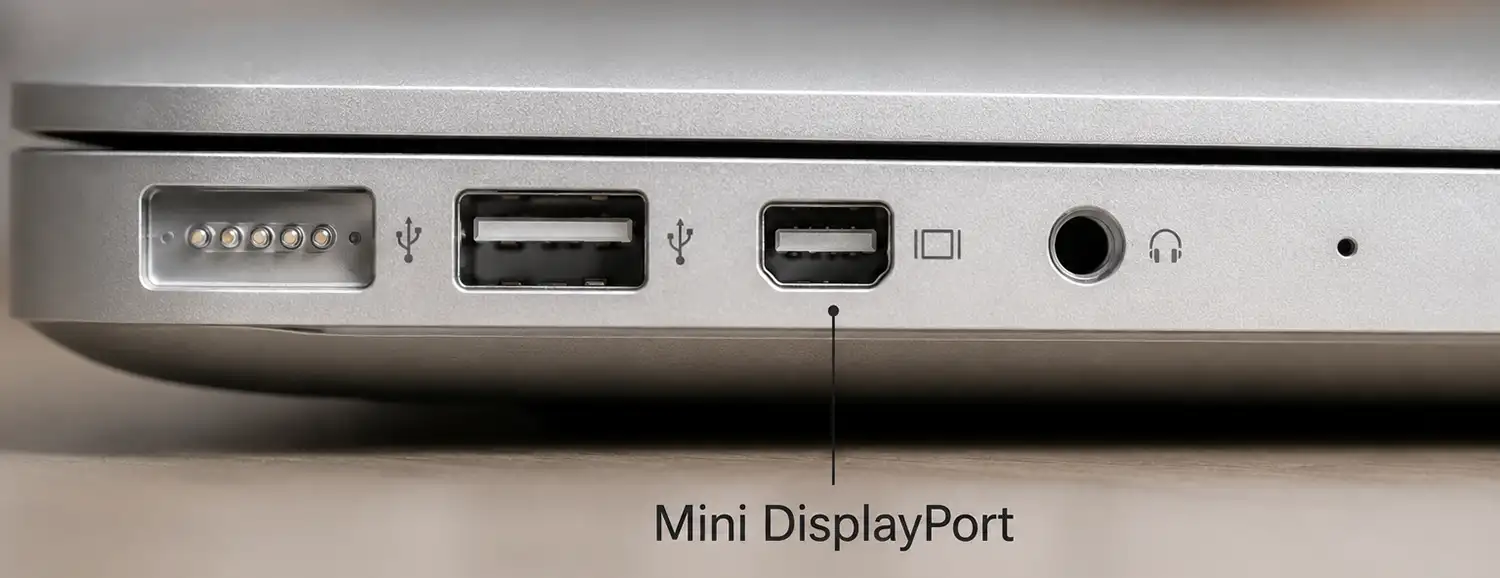
Mini DisplayPort is a digital video connector that was used in MacBook computers before Apple switched to USB-C. It was introduced in 2008 and was designed for connecting external displays.
Mini DisplayPort allowed users to connect monitors, projectors, and televisions using compatible cables or adapters. It transmitted a high-quality digital video signal and could work with other display standards such as HDMI, DVI, and VGA through adapters.
Later, the same physical connector was used for the first generations of Thunderbolt, which combined DisplayPort video output with high-speed data transfer.
FireWire
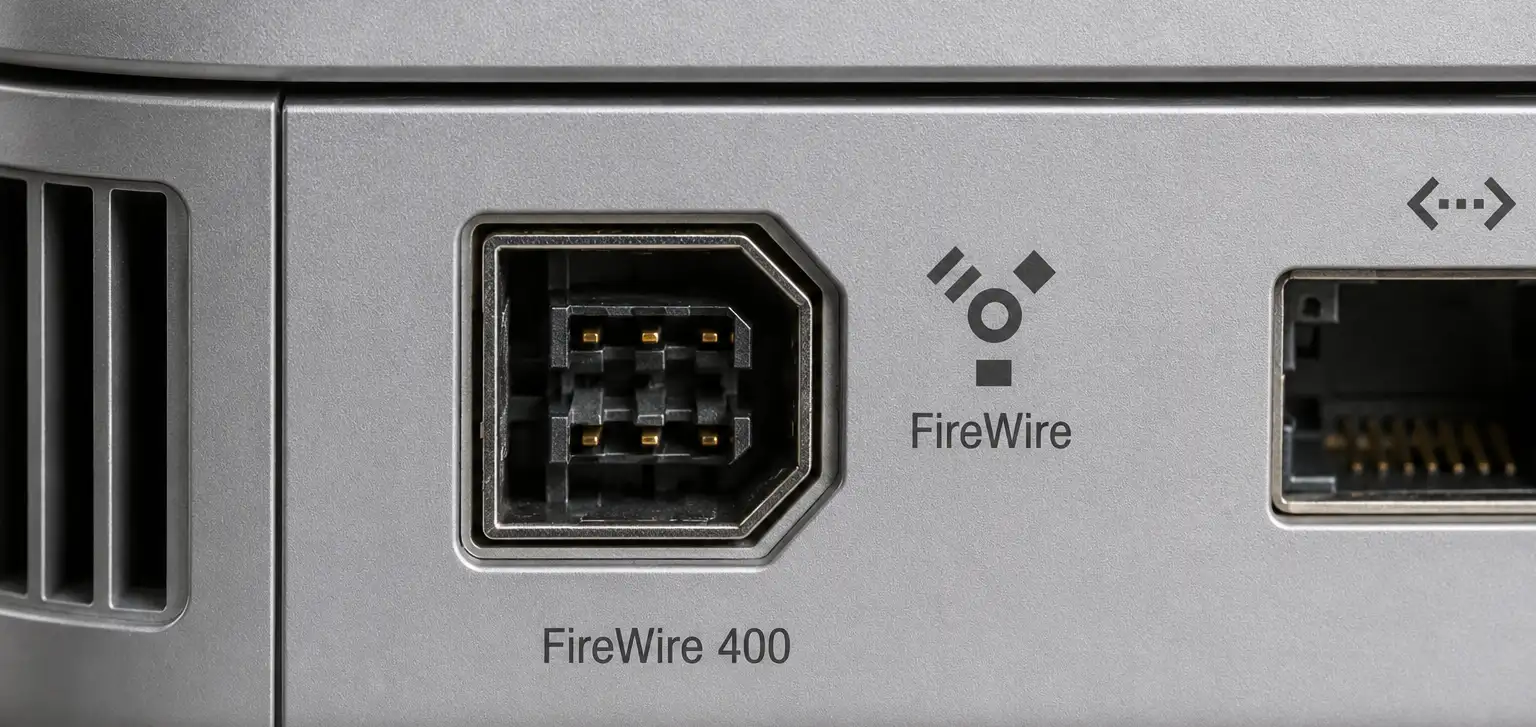
FireWire (IEEE 1394) was a high-speed data transfer interface used in older MacBook models. Apple widely adopted it for professional equipment that required stable performance and low latency.
MacBooks included two versions of FireWire: FireWire 400 and FireWire 800. The port was commonly used for connecting digital video cameras, external hard drives, and professional audio equipment. FireWire became especially popular among video editors and musicians because it could transfer large amounts of data reliably in real time.
Over time, FireWire was replaced by USB 3 and Thunderbolt, which offered higher speeds, wider compatibility, and support for modern devices.