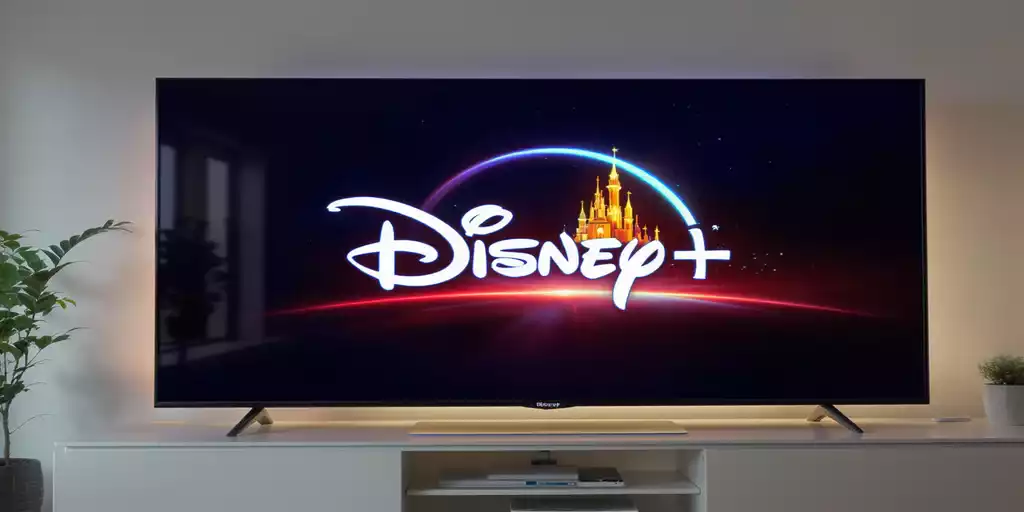
Disney+ is available on a wide range of smart TVs and devices that connect to a TV. However, not every smart TV supports the service. Compatibility depends on the TV model, operating system, software version, and region.
The most reliable way to check whether your TV supports Disney+ is to open the TV’s app store and search for the official Disney+ app. If the app is available for installation, your TV supports the service.
Disney+ supports specific TV platforms and models rather than every TV released by a particular manufacturer. As a result, two TVs from the same brand may have different levels of compatibility depending on the operating system, model year, and market. This is particularly relevant for major OEM manufacturers, which may use different platforms and hardware configurations across their product lines.
Disney+ compatibility by TV Operating System and platform
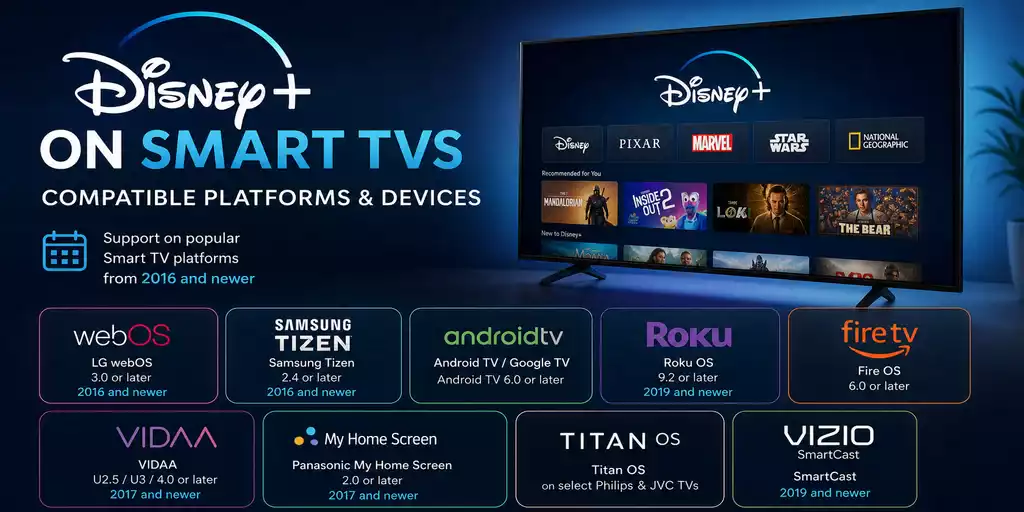
Support for a particular streaming service depends on the operating system for which the service’s application was developed. Essentially, compatibility depends on the video streaming protocols supported by the operating system, while the streaming service’s servers must also support the corresponding protocols.
Some manufacturers, such as LG and Samsung, use their own operating systems, while others use third-party platforms. Therefore, it is more useful to consider the operating system together with the TV brands that use it.
LG webOS: Disney+ is supported on compatible LG TVs running webOS 3.0 or later. This applies to LG TVs released from 2016 onward.
Samsung Tizen: Disney+ is supported on compatible Samsung Smart TVs released from 2016 onward, starting with models running Tizen 2.4.
Android TV / Google TV: Disney+ supports compatible devices running Android TV 6.0 or later. Google TV is based on the Android TV platform, so it is included in the same category. Many TV manufacturers use this platform. Android TV 6.0 was released in 2016, but this does not mean that all Android TVs from 2016 support Disney+. For Android TV, it is therefore best to check the operating system version and the specific TV model.
Roku OS: Disney+ became available on Roku devices in 2019. Compatible Roku TVs require Roku OS 9.2 or later.
Fire OS: Disney+ is supported on compatible Fire TV devices running Fire OS 6.0 or later. Fire OS 6.0 was released in 2017.
VIDAA: Disney+ is supported on selected Hisense TVs running VIDAA U2.5, VIDAA U3, and VIDAA 4.0 or later. Support applies to compatible Hisense models released from 2017 onward.
My Home Screen: Disney+ is supported on selected Panasonic TVs running My Home Screen 2.0 and later compatible versions. Support began with compatible Panasonic models released in 2017 and later.
Titan OS: Disney+ is available on compatible TVs running Titan OS. The platform is used in some Philips and JVC TV models, and compatibility is determined by the TV platform rather than by a specific OS version. Titan OS was first introduced on Philips TVs in 2023 and was later installed on TVs from earlier model years, including models from 2020.
SmartCast: Disney+ is supported on compatible VIZIO TVs using the SmartCast platform. Support began in 2019, when the Disney+ service launched.
The table below provides an overview of Disney+ availability based on the operating system and TV platform.
| OS / Platform | OS version | TV brands | Disney+ support from |
|---|---|---|---|
| LG webOS | 3.0 and later | LG | 2016 |
| Samsung Tizen | 2.4 and later | Samsung | 2016 |
| Android TV / Google TV | Android TV 6.0 and later | Sony, Hisense, Philips, Sharp, TCL and others | 2016 |
| Roku OS | Roku OS 9.2 or higher | TCL, Hisense, Sharp and others | 2019 |
| Fire OS | 6.0 and later | Amazon, Toshiba, Hisense and others | 2017 |
| VIDAA | VIDAA U2.5, U3 and 4.0 or later | Hisense | 2017 |
| My Home Screen | My Home Screen 2.0 | Panasonic | 2017 |
| Titan OS | The OS version does not apply; it is tied to the TV platform. | Philips 2026 Philips 2025 JVC 2025 Philips 2024 Philips 2023 Philips 2022 Philips 2021 Philips 2020 Sharp 2026 | 2023 |
| SmartCast | Vizio | VIZIO | 2019 |
What to do if Your TV does not support Disney+
If your TV does not support Disney+, you can use an external streaming device that supports the service. Connect the device to the TV through HDMI and install the Disney+ app on the device.
The streaming device runs the Disney+ application and connects to the internet, while the TV is used only to display the video.
Supported options include Roku, Amazon Fire TV, Google TV, and Apple TV. This is a simple way to use Disney+ on an older or unsupported smart TV without replacing the television.
For 4K UHD or HDR playback, both the streaming device and TV must support the required video format.